
Choosing a Face Recognition Door Lock for Office Security and Frictionless Access
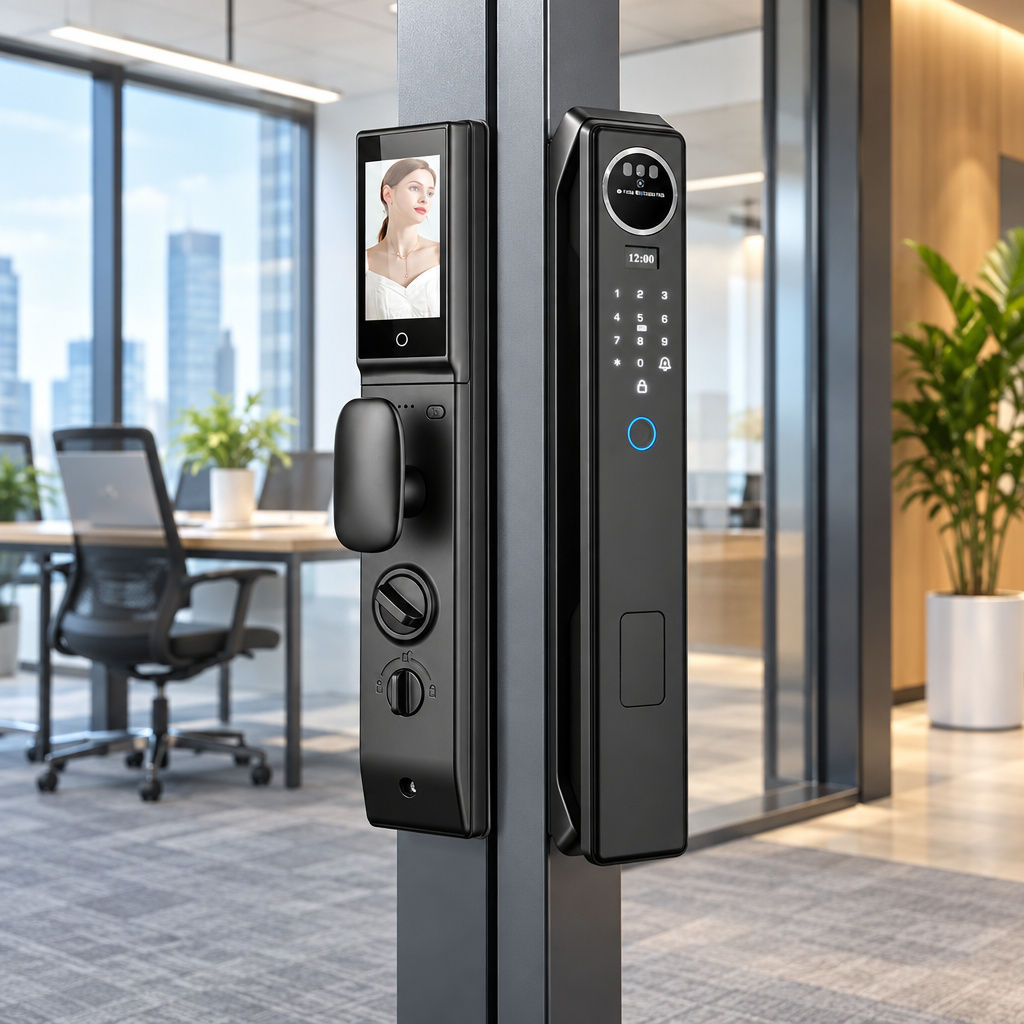
Morning arrivals expose the friction in legacy security hardware. Employees walk in balancing laptops and coffee cups, then stall at the entrance while they dig through bags for a misplaced badge. A face recognition door lock for office entrances removes that bottleneck by making the person, rather than an object, the credential. Biometric entry also narrows the gaps left by shared PIN codes and unreturned keys. This guide covers 3D facial authentication, backup unlock methods, integrated video intercoms, and how to judge whether a lock fits your door.
Why Traditional Office Access Systems Create Daily Bottlenecks
Many commercial suites still rely on mechanical cylinders, standalone keypads, or basic IC cards. These options look inexpensive at purchase, but they generate steady operational friction as headcount grows. Facility managers often end up acting as part-time locksmiths instead of running the workplace, handling lost credentials, door code resets, and key requests that pull them away from more useful work.
The Hidden Administrative Cost of Physical Keycards and PINs
A physical credential authenticates the object in someone's hand, not the person crossing the threshold. If an employee loses a card on public transit, whoever finds it may gain entry until an administrator revokes that specific token. Shared passcodes carry a similar risk. Once a door code is handed to a courier or contractor, it tends to circulate informally until someone resets the keypad.
Administrative work piles up as well. Staff issue replacement badges, log serial numbers, and rekey cylinders after turnover. A biometric access control system for office doors may simplify credential changes if it lets administrators remove individual facial profiles, so confirm that capability with the supplier. Where it exists, a departing employee no longer takes a physical key out the door.
Why Contact Fingerprints Struggle in High-Traffic Workplaces
Fingerprint readers improved on plastic cards, yet they still need physical contact and careful finger placement. At peak arrival times, one small sensor becomes a queue point. Dry skin in winter, damp hands after rain, or a minor paper cut can all trigger repeated rejections, which leaves employees standing at the door and trying again.
Contact scanners also force people to set down parcels, binders, or equipment just to free a thumb. In shared corridors, dozens of people touching the same surface raises hygiene concerns too. Hands-free biometric office door locks address this by letting authorized staff authenticate as they approach the door, without pressing anything.
How a 3D Face Recognition Door Lock for Office Addresses Spoofing
Early facial systems earned a shaky reputation because a printed photograph could sometimes fool a basic camera. The usual remedy is to move from flat image comparison to depth-aware recognition. Understanding that difference matters before you specify hardware for sensitive rooms, because the sensor type shapes how the lock should be tested and what evidence you should ask a supplier to provide.
Depth Data vs. 2D Camera Matching
A conventional two-dimensional camera records a flat grid of colored pixels, much like a smartphone selfie. It has no direct sense of distance, so a high-resolution portrait or a video played on a tablet can deceive simple algorithms. In security testing, these spoofing attempts are known as presentation attacks, and ISO/IEC 30107 is the standard series that covers how to evaluate them.
Our Smart Facial Recognition Door Lock Series is built around 3D face recognition, which the product data describes as high-precision technology for secure, hands-free entry. Three-dimensional sensing works from depth information, but a sensor type alone does not prove a tested level of spoof resistance. Ask any supplier for presentation-attack test evidence before you rely on a lock for high-risk rooms.
Lighting and Angle Variations in Real Hallways
Office hallways rarely offer studio lighting. Glass curtain walls create harsh afternoon glare, while server rooms and late-night corridors can be dim. Strong backlighting can make a face difficult to capture on some cameras, depending on how they handle high-contrast scenes. The entrance environment therefore deserves as much attention as the lock itself, and it is worth checking how a given model behaves in your own hallway.
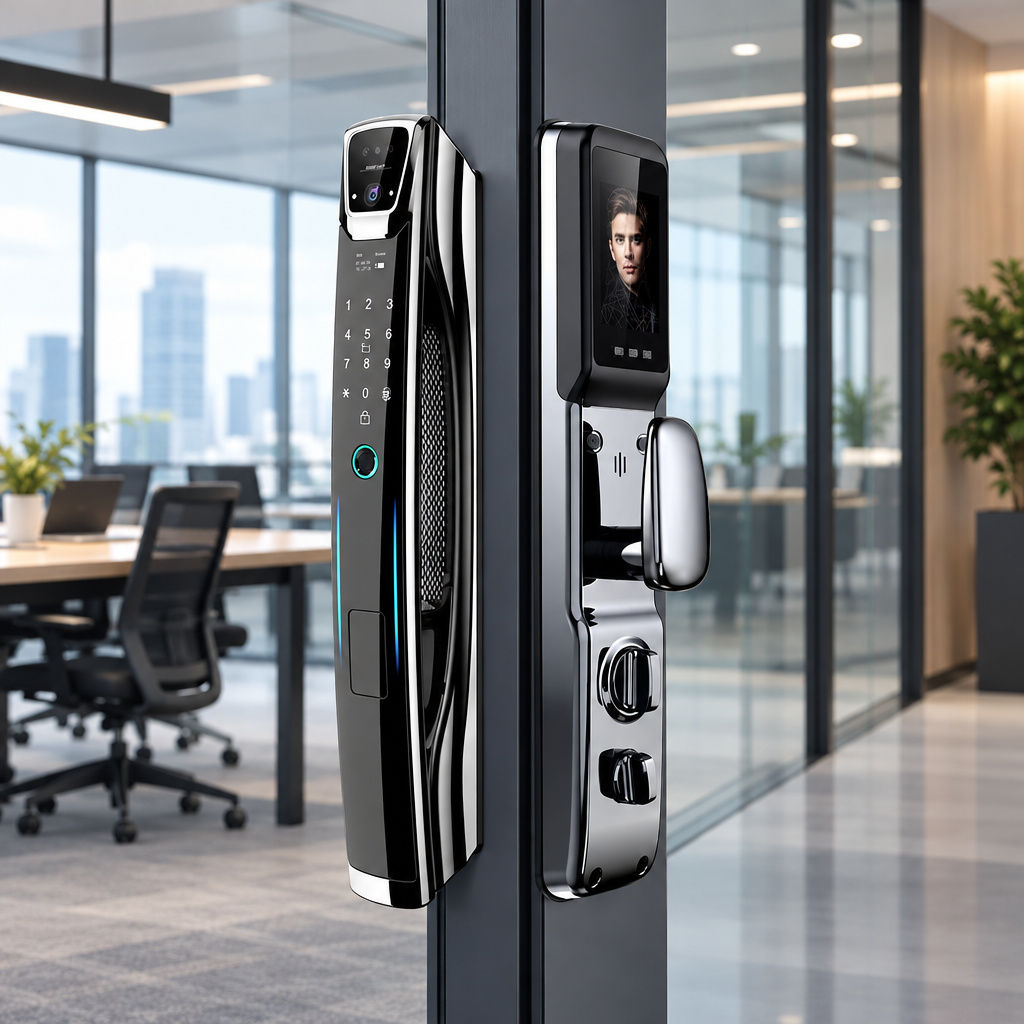
The product data does not publish lighting limits or recognition-angle specifications. For that reason, treat a pilot installation as part of the buying process. Enroll a few staff members of different heights, then test the lock at the actual door during morning glare and after dark. Real conditions at your entrance tell you more than a brochure can.
Core Capabilities That Matter in Commercial and Executive Workspaces
Relying on one authentication method creates risk when a workplace hosts employees, cleaning crews, visitors, and remote executives. A practical face recognition door lock for office deployment pairs touchless biometrics with backup credentials and visual communication tools. This layered approach keeps daily traffic moving while giving administrators control over who enters.
Multi-Modal Authentication for Redundancy and Temporary Staff
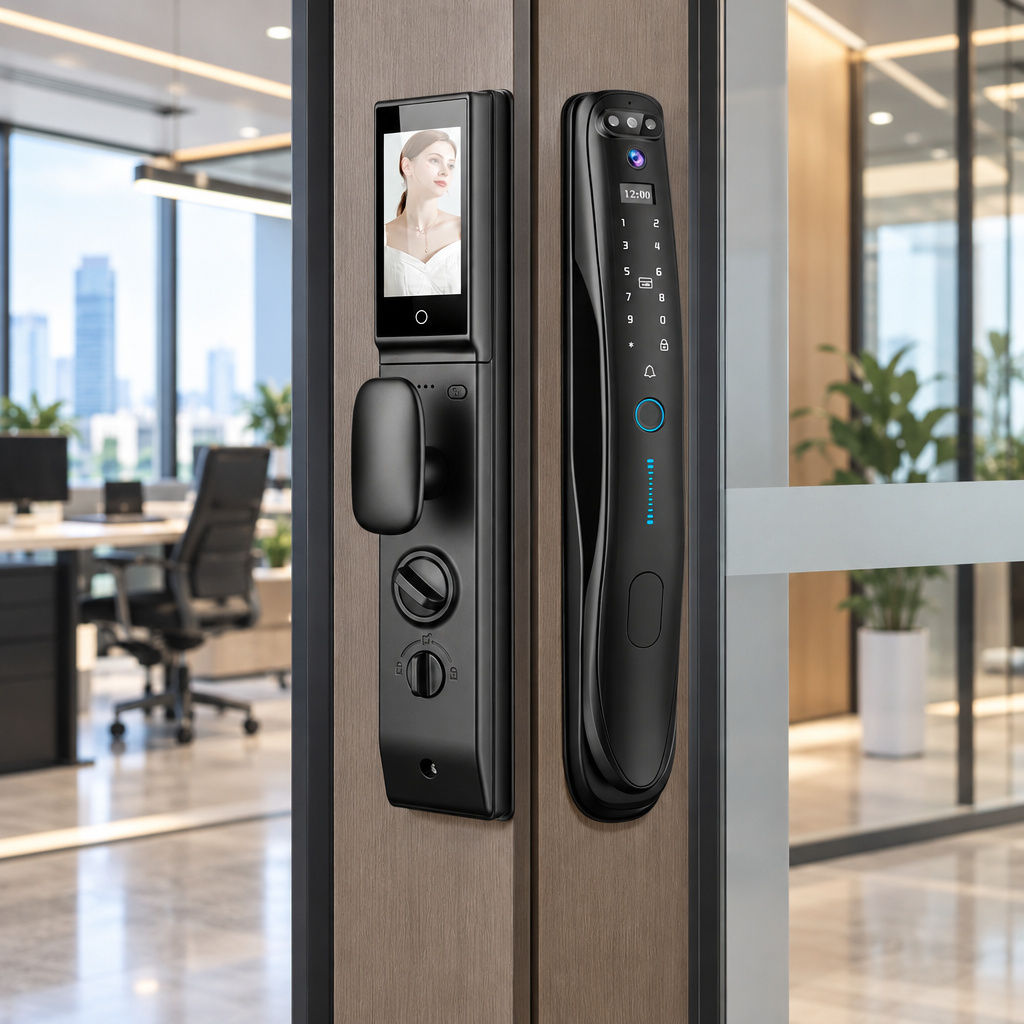
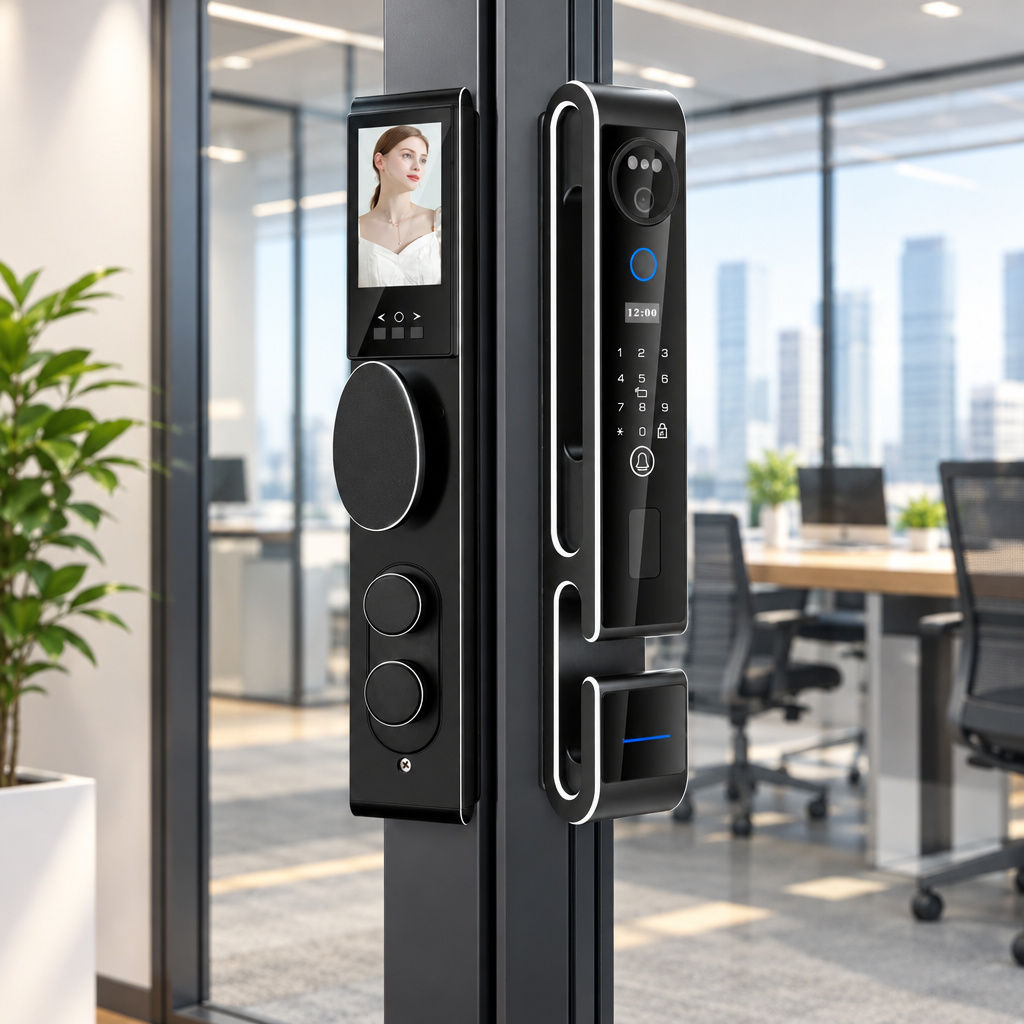
Enrolling everyone who crosses an office threshold into a biometric database is neither practical nor necessary. Full-time employees benefit from hands-free scanning, while external auditors or maintenance crews may only need limited access. The Smart Facial Recognition Door Lock Series lists five authentication methods in one unit: 3D face recognition, fingerprint, password, IC card, and Tuya App control. That range lets managers match each credential to the role, as outlined below:
- 3D Face Recognition: Gives daily employees and executives hands-free entry, which helps when their hands are full.
- Fingerprint: Offers a familiar second biometric option when face entry is not suitable.
- Password: Provides a keypad option for people who do not need biometric enrollment.
- IC Card: Supplies a reusable physical credential for cleaning crews or temporary staff.
- Tuya App Control: Connects over Wi-Fi so managers can manage the lock remotely and receive real-time alerts.
Integrated HD Video Intercom for Unstaffed Reception Areas
Many boutique law firms, design studios, and co-working suites operate without a front-desk receptionist. When a client or delivery driver reaches a locked door, someone has to walk across the floor just to see who is there. A separate wired intercom usually means opening walls and running cable back to individual desks.
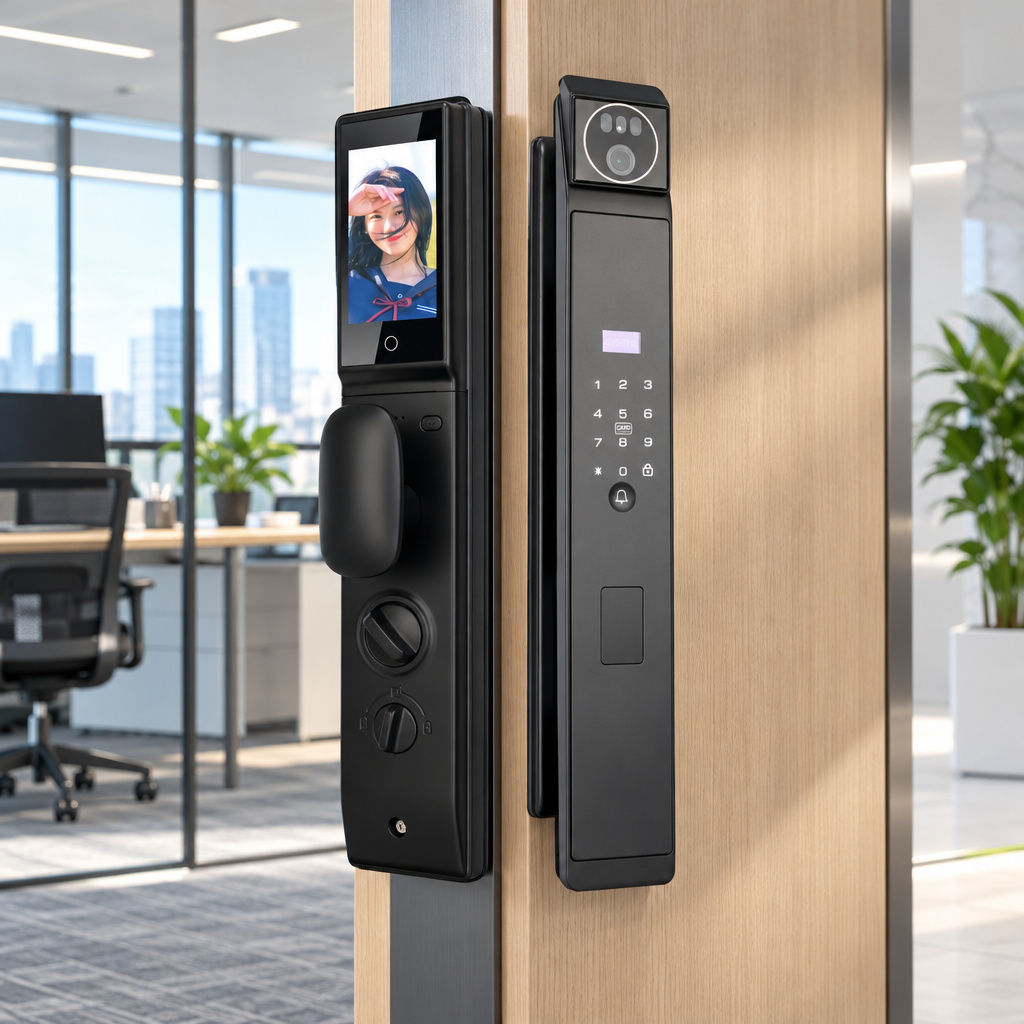
The series places a camera and an HD screen in the lock itself, so users can see and speak with visitors directly from the door. Through Tuya App connectivity, the product data also describes remote monitoring and real-time alerts. A manager in a meeting room or off-site can therefore check who is waiting before deciding whether to let them in.
Automatic Locking for Sensitive Rooms
The best biometric reader does little for a finance office or HR archive if the door is left unlatched. Traditional levers often stay open until someone remembers to turn a key at the end of the day. Forgetfulness is a more common weakness than a determined intruder, and it is one that hardware can reduce.
The series includes a fully automatic digital locking system, designed to secure the door without a manual step on every exit. The interior unit also carries manual controls below the display screen, as shown in the product images. Confirm the emergency exit behavior against your local fire and building requirements before you finalize any installation.
Comparing Office Access Control Architectures
Facility planners upgrading security usually weigh standalone smart locks against hardwired enterprise access systems. Each suits a different building profile, budget, and door construction. Standalone units such as the Smart Facial Recognition Door Lock Series connect over Wi-Fi and the Tuya App, whereas wired systems usually depend on a central controller. Comparing installation, anti-spoofing evidence, and visitor communication helps prevent over-engineering.
Wired Enterprise Controllers vs. Standalone Wi-Fi Biometric Locks
Hardwired magnetic lock systems make sense for turnstiles or glass lobby doors tied into central fire panels. Running cable for a single executive suite or accounting room is rarely cost-effective, though. The table below compares three common approaches. Cells marked as varying reflect the wide range of products in that category, not specific models.
| Feature | Basic 2D Optical Terminal | Smart Facial Recognition Door Lock Series | Hardwired Magnetic Lock System |
|---|---|---|---|
| Primary Biometric Sensor | Standard 2D camera | 3D face recognition plus fingerprint | External reader or wired biometric pad |
| Spoofing Resistance | Varies by model; ask for presentation-attack detection test evidence | Varies by model; ask for presentation-attack detection test evidence | Varies by model; ask for presentation-attack detection test evidence |
| Backup Unlocking | Varies by model | Fingerprint, password, IC card, Tuya App | Typically card, PIN, or key override |
| Visitor Video Intercom | Usually a separate unit | Built-in camera and interior HD screen | Usually a separate intercom system |
| Network and Management | Varies by model | Wi-Fi with Tuya App | Typically a central controller and wired network |
| Installation | Varies by model | Designed for home and apartment doors; confirm fit | Typically needs power supply, conduit, and cabling |
| Language Support | Varies by model | Up to 9 languages | Often set in backend software |
Selecting the Right Fit for Boutique Offices and Executive Rooms
The product data lists compatibility with home and apartment doors, and its application scenarios center on residential security, apartment access control, and smart home automation. That makes the series a reasonable candidate for private offices, small suites, and apartment-style commercial units. It is less obviously suited to large offices that need central user management across many doors.
Door construction also sets a boundary. Narrow aluminum storefront frames and frameless glass doors generally need different hardware than a solid interior door. Check the door slab, thickness, and cutout requirements with the supplier first. Many teams end up using standalone biometric locks on solid doors and reserving magnetic locks for glass lobby entrances.
Step-by-Step Selection and Deployment Checklist for Office Buyers
Moving a workplace to biometric access takes coordination between facility maintenance, IT administrators, and human resources. Each group owns a different piece: maintenance checks the door, IT checks network coverage, and HR sets policy on who is enrolled and how consent is handled. Treating the rollout as a small project avoids installation delays and day-one confusion.
Evaluating Door Compatibility and Network Readiness
Before ordering hardware for a retrofit, work through the five checks below. They cover the door itself, the Wi-Fi connection, language settings, credential tiers, and battery upkeep. Skipping any one of them can stall a rollout after the lock arrives, so it is worth walking the door with a notepad before you place an order.
- Inspect the door: Confirm the slab material, thickness, and cutout dimensions against the lock's installation requirements, and ask the supplier for the exact specifications.
- Survey Wi-Fi coverage: Stand at the closed door with a smartphone and confirm a stable signal, since video intercom alerts and remote control depend on the connection.
- Set the language: Choose from the up to 9 languages the lock supports to reduce onboarding friction in multinational teams.
- Define credential tiers: Enroll full-time staff with face and fingerprint, issue IC cards to maintenance crews, and keep passwords for short-term needs.
- Plan battery checks: Add routine battery inspections to the facility calendar, and store emergency access procedures somewhere secure and offline.
Assessing Manufacturing Standards and Long-Term Reliability
An office door cycles far more often than a residential front door, which stresses motors, clutches, and finishes. Buyers should look past appearance and ask about the factory behind the hardware. SUMMAO reports 15 years of industry experience and a 10,000 m² automated facility with robotic assembly and smart testing equipment. Its stated customer base includes over 5,000 hotels and apartments across 50+ countries.
For us, quality control rests on 36 inspection processes and a failure rate below 1%, at a daily capacity of 500+ units. The company reports CE conformity, applicable FCC equipment authorization, and ISO 9001 and ISO 14001 certifications; confirm the documentation and scope for the specific product and manufacturer. It also cites an IP65 waterproof rating and up to 18-month battery life as quality standards, so confirm that these figures apply to the specific model you order. Support terms include a 2-year warranty, lifetime maintenance, and 24/7 technical support. Lead times run 7 to 10 days for regular products and 15 to 30 days for customized orders.
Frequently Asked Questions
Does a face recognition door lock for office use still work during a power or Wi-Fi outage?
The product data lists Wi-Fi for remote access, alerts, and automation, alongside fingerprint, password, and IC card entry. That suggests local unlock methods are meant to work without the network. However, the data does not state how face matching behaves offline, or how the lock handles a depleted battery. Ask the supplier to confirm both points, then test during a pilot by disconnecting the router and checking each unlock method.
Can employees unlock the door while wearing glasses, makeup, or hats?
The supplied data does not include recognition performance for eyewear, makeup, or headwear. Depth-based recognition generally relies on facial structure rather than color contrast alone, but results vary by product and conditions. Treat this as something to verify, not assume. During enrollment, ask employees to test the lock with their usual appearance, including glasses, and enroll a fingerprint or issue an IC card as a fallback for anyone who has trouble.
How should an office handle biometric privacy and employee consent?
Introduce biometric access with a clear written policy. Explain what is collected, who can manage it, and how a profile is removed when someone leaves. Because the supplied data does not describe how facial data is stored, request the supplier's data handling documentation before rollout. Check local privacy and employment rules as well.
A multi-method lock also helps with consent. Staff who prefer not to enroll a face can use a password or an IC card instead, so they keep access without giving up that choice. Recording that alternative in the written policy makes the option clear to everyone, and it spares managers from handling objections case by case.
How many languages can the lock support for diverse teams?
The Smart Facial Recognition Door Lock Series supports up to 9 languages, which helps international branches and mixed teams. Combined with face, fingerprint, password, IC card, and app entry, one unit can serve executives, permanent employees, and visiting contractors. The product data does not state a maximum number of user profiles, so confirm capacity with the supplier if you have a large team.
Conclusion
A face recognition door lock for office security turns the doorway from an administrative chore into a more automated checkpoint. By pairing 3D facial recognition with fingerprint, password, IC card, and an integrated HD video intercom, facility managers can reduce the problems of lost keycards and unattended reception areas. Check door compatibility, pilot the lock in real lighting, and confirm offline behavior and data handling with the supplier. A biometric office door lock with Tuya App integration then gives small and mid-sized teams hands-free access and clearer control over who enters.
SUBSCRIBE
INQUIRY