
Digital Fingerprint Door Lock: Features, Security, and Buyer's Guide
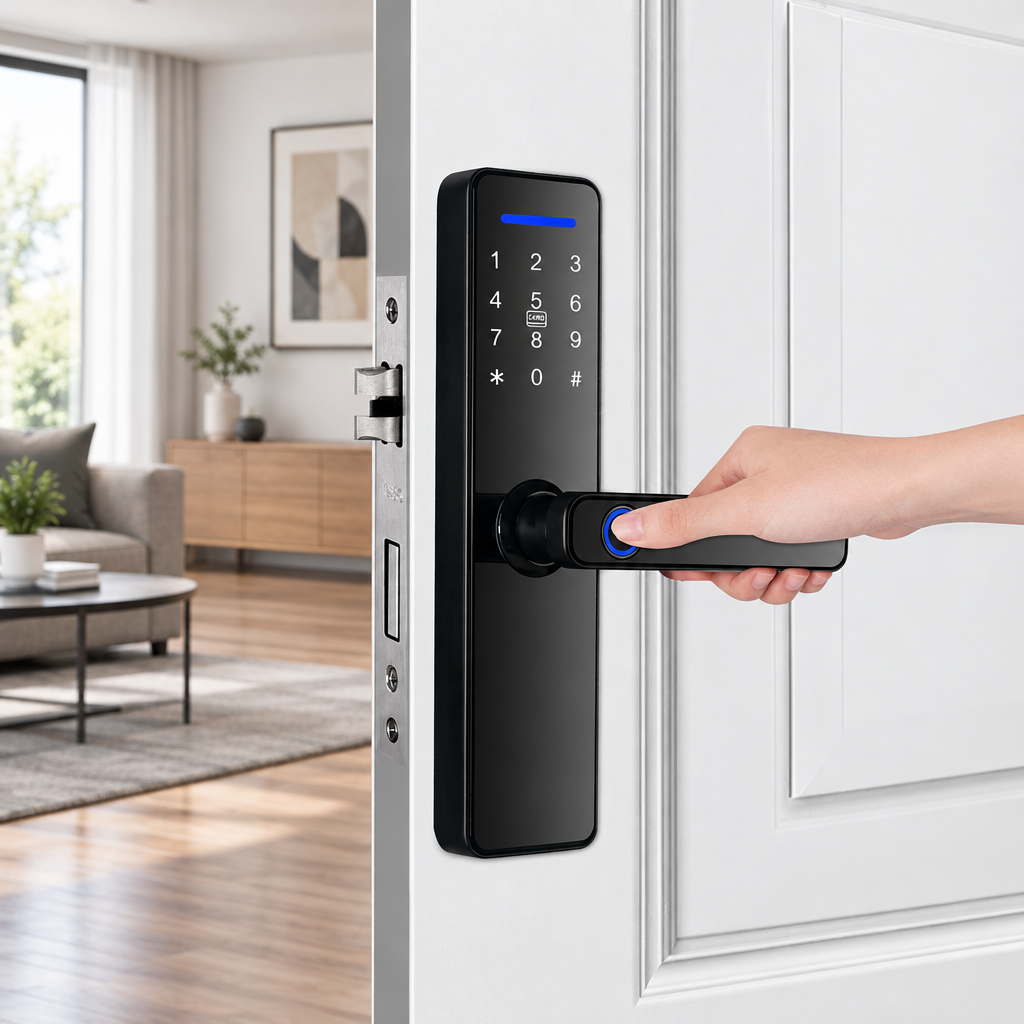
Keys belong to an era when security meant carrying shaped metal instead of proving identity. A modern digital fingerprint door lock replaces the daily hunt through pockets with a simple touch. Homeowners and facility operators turn to biometric hardware when they want personal convenience without sacrificing protection. Yet navigating sensor types, mechanical dimensions, and credential software can feel overwhelming when you're considering an upgrade.
This guide explains how biometric lock mechanisms work, what determines hardware integrity, how to manage power, and which configuration details matter. Whether you run a boutique hotel or want keyless peace of mind at home, understanding the engineering behind fingerprint access helps you pick a system that fits your doors and your routines.
What Is a Digital Fingerprint Door Lock?
How biometric fingerprint authentication operates
A digital fingerprint door lock reads the ridges and valleys of your skin to verify identity before releasing the latch. The S811 product data describes its fingerprint reader as a semiconductor sensor; it does not specify the sensor's detailed capture mechanism. Different sensor types use varying methods to collect fingerprint data, which affects performance under different environmental conditions.
Biometric identification works on probability rather than certainty. The system compares collected ridge patterns against stored reference templates and calculates a confidence score before unlocking. Standards like NIST SP 800-63B note that biometric recognition cannot deliver absolute yes-or-no answers. Dirt, worn skin, or injuries create variation, which is why reliable door systems always include backup credential options.
Biometric entry compared with traditional mechanical locks
Many keyed pin-tumbler locks use a physical key to align pins and operate the cylinder. If that key gets lost, copied without permission, or picked, your security fails until you replace the cylinder. Physical keys also create blind spots because they cannot record who opened the door or when.
Electronic biometric hardware shifts access to identity-based credentials stored digitally. You can create, edit, or revoke permissions instantly without unfastening a screw or changing a pin. The S811 listing includes a physical key as an alternative entry method; check the specific lock's documentation to learn which failures it can override.
Core operational environments
Biometric door locks serve different spaces, each with distinct security and practical needs. Residential homes need easy entry for people of all ages, which means intuitive sensor placement on the handle for quick one-handed access. Apartment buildings require unified software control and fast credential changes when tenants leave.
Office spaces use biometric credentials to restrict sensitive areas like server rooms and require detailed logs of every entry attempt. Hotels blend access methods, giving temporary guests digital keys or contactless cards while housekeeping uses supervised master credentials.
Understanding access credential management
Digital fingerprint door locks typically store multiple user profiles, letting property owners assign distinct access rights to family members, guests, and service workers. Each credential type addresses different operational needs, from permanent household access to time-limited guest codes.
Administrative controls prevent lower-privilege users from altering system settings or enrolling new credentials without authorization. Establishing a clear credential hierarchy during initial setup protects against accidental lockouts and ensures that temporary access cannot override permanent resident permissions.
Evaluating Security, Biometric Data, and System Integrity
Demystifying biometric accuracy and speed metrics
Manufacturers market biometric hardware with claims of instant recognition and nearly zero errors. In practical security engineering, biometric sensors are measured by False Match Rate (FMR) and False Non-Match Rate (FNMR). FMR tracks how often an impostor comparison is incorrectly matched. FNMR measures how often a legitimate comparison fails to match.
Lab tests produce these numbers under clean conditions with perfectly centered, dry thumbs. Real residential use confronts rain, cooking grease, frost, and off-angle placement. Buyers should seek independently tested biometric performance and ensure the lock retains alternative access methods for situations where fingerprint reading is compromised.
Emergency power and mechanical fail-safes
A common concern centers on power failures: what happens when batteries run out? The listing specifies a Grade B cylinder and a physical-key unlocking method; confirm with the supplier whether the key operates the latch when batteries are depleted.
For electronic recovery without carrying a physical key, the product listing identifies a USB emergency-power port. Buyers should confirm the required connector type, voltage, and operating procedure with the manufacturer to ensure compatibility with available power sources.
Biometric credential storage and network protections
Fingerprint storage and processing methods vary by device and manufacturer. Ask the manufacturer whether fingerprint templates are stored locally or remotely, how they are protected, and whether they can be deleted. Understanding where your biometric data resides and who controls access to it helps you evaluate the security posture of any smart lock system.
Before settling on an access control system, verify whether the management app receives regular updates and uses secure cryptographic protocols. Consider optional network-segmentation measures whose protections depend on router configuration, and check whether the manufacturer provides ongoing firmware updates to address emerging vulnerabilities.
Firmware support and connected ecosystem security
When choosing an internet-connected lock, physical attack resistance is only half the equation. Devices linked to wireless home networks present digital targets if communication protocols go unpatched. Consumer security advisories from the Federal Trade Commission note that connected hardware should receive ongoing firmware updates to address emerging vulnerabilities.
Verify whether the management app receives regular updates and check whether the manufacturer disables unused features by default. These practices help maintain security over the lock's operational life.
Evaluating long-term support and warranty coverage
Smart lock systems represent a multi-year investment in property security and daily convenience. Beyond initial hardware quality, ongoing manufacturer support determines whether your lock remains functional as mobile operating systems, wireless protocols, and security standards evolve.
Review the warranty terms and confirm what scenarios qualify for replacement or repair. Some manufacturers cover mechanical failures but exclude damage from improper installation or environmental exposure. Understanding these boundaries before purchase prevents disputes if components fail during normal operation.
Comparing Access Methods Across Real-World Scenarios
Fingerprints, passcodes, RFID cards, and app credentials
Current locksets rarely limit users to fingerprint scanning alone. Multiple credential channels address real-world edge cases, accommodating family members, helpers, and service workers.
| Access Method | Primary Advantage | Operational Limitation | Ideal Scenario |
|---|---|---|---|
| Biometric Fingerprint | Fast, keyless entry without carrying anything extra | Degrades with wet skin, cuts, or dirty hands | Primary residents and frequent daily users |
| Numeric Passcode | Universal entry requiring no physical or biometric assets | Vulnerable to shoulder-surfing observation | Extended family, delivery drops, emergency backup |
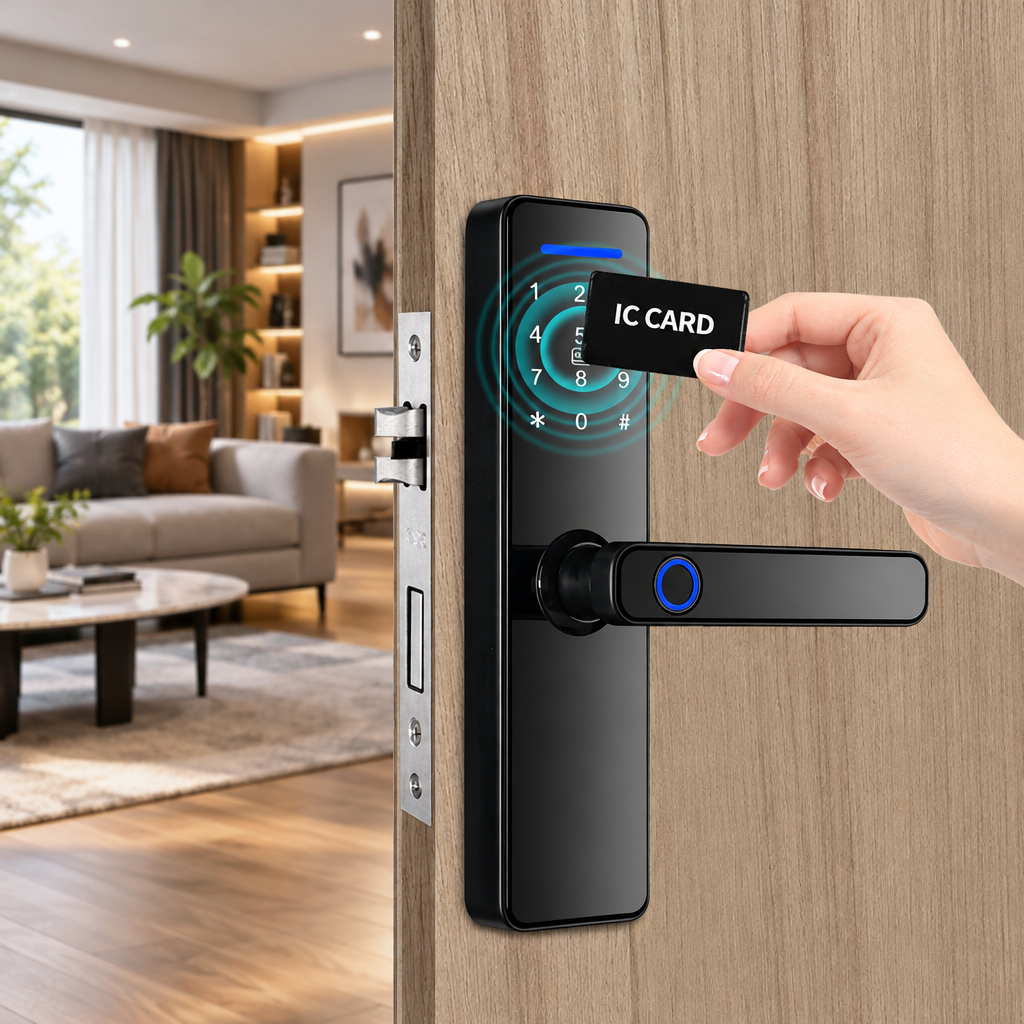
| Contactless IC Card | Simple tap authentication without physical strength | Physical card can be misplaced or loaned | Elderly family members, children, cleaning staff |
| Mobile App (Tuya/TTLock) | Remote oversight, dynamic scheduling, activity logs | Relies on smartphone battery and connectivity range | Short-term rental guests, property administrators |
| Mechanical Key | Pure mechanical override immune to electrical failure | Vulnerable to unauthorized copying | Emergency storage in vehicle or off-site |
Anti-peeping virtual passwords and credential isolation
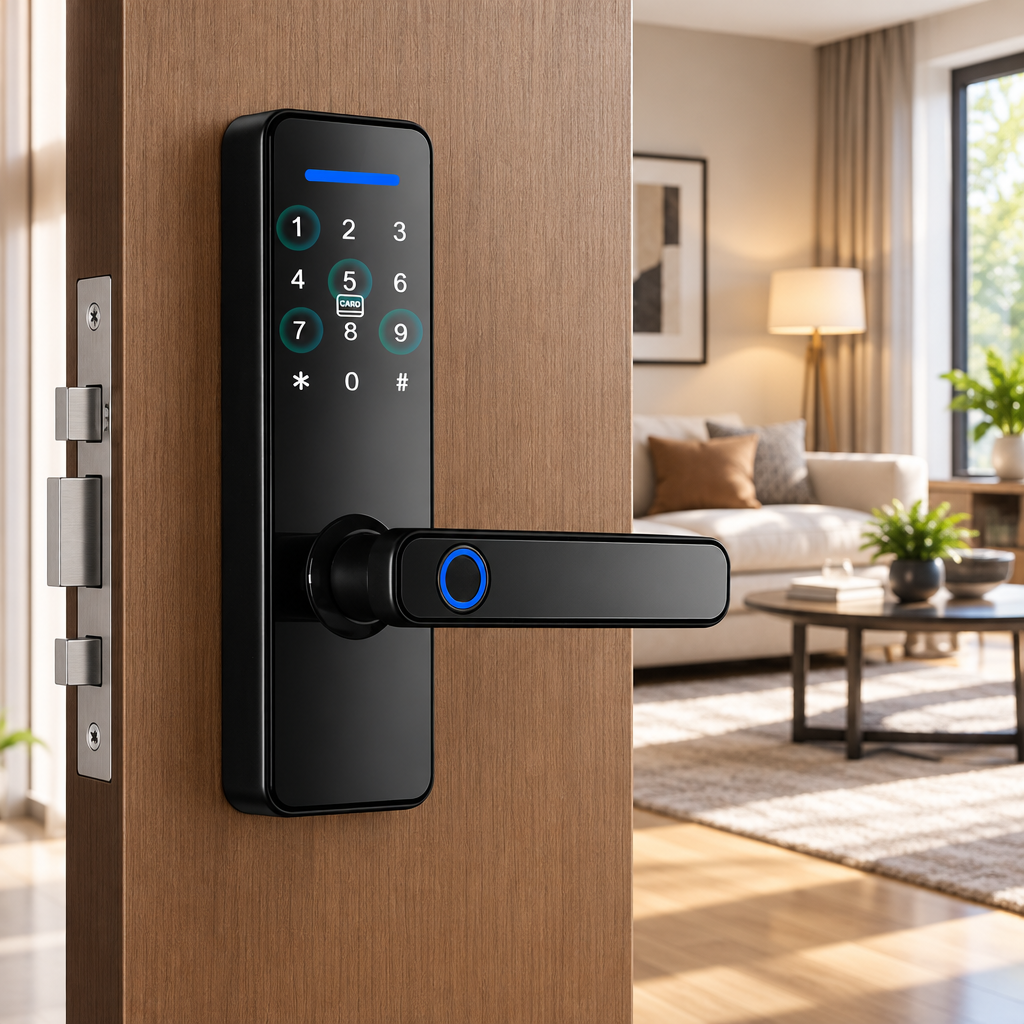
Numeric keypads provide a reliable alternative when biometric reading is blocked by wet hands or gloves. Traditional keypads carry a security risk: shoulder-surfing observers and worn button finishes that reveal your passcode digits.
Anti-peeping technology addresses this risk through virtual password scrambling. Users can input random digits before and after their actual passcode. As long as the correct consecutive numbers appear within the total string, the processor confirms authentication, confusing bystanders and scrambling fingerprint smudges across the glass.
Remote management and temporary visitor access
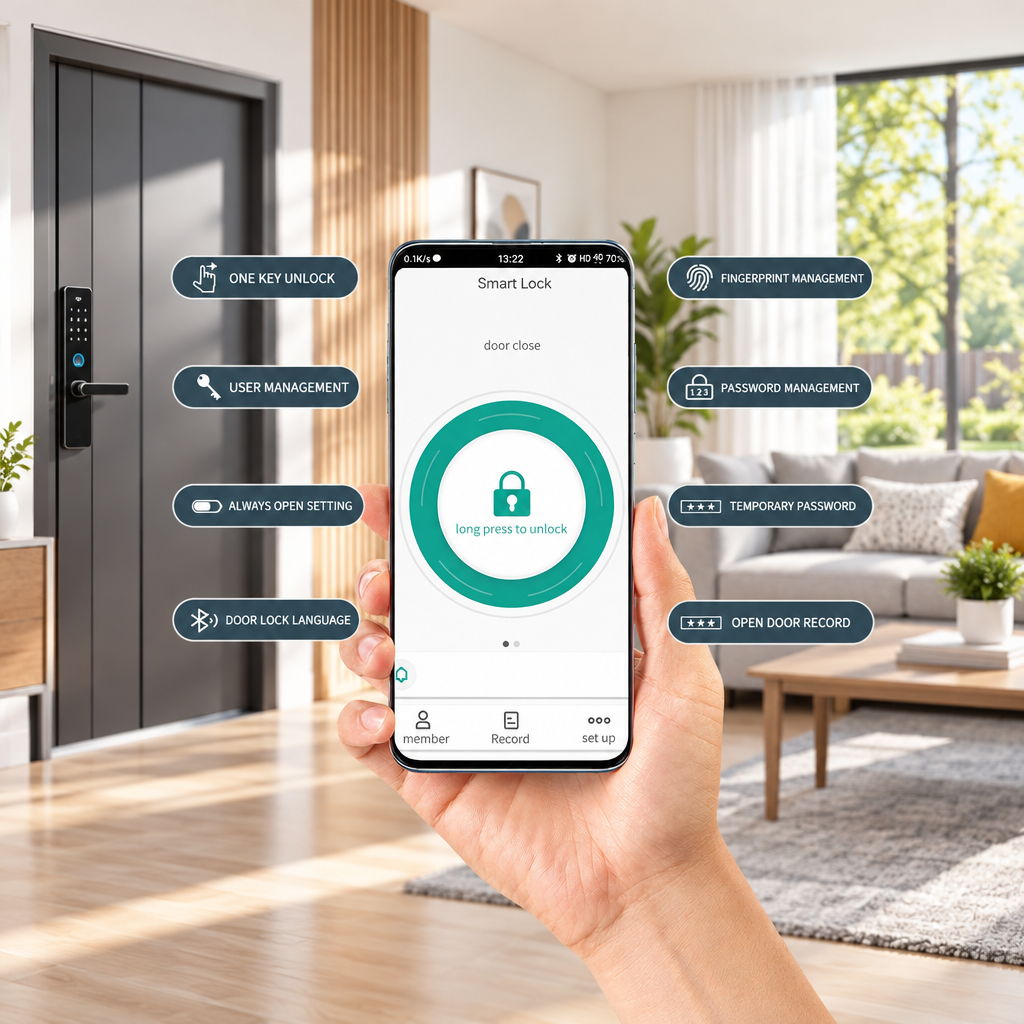
Managing access manually becomes impractical with short-term visitors, vacation rental guests, or contractors. The listing supports Tuya and TTLock app access. Temporary-password options, expiry rules, and remote operation depend on the lock, app, and connectivity setup; confirm them before deployment.
Property owners should verify credential expiry options, connectivity requirements, and security details with the supplier before deploying remote management features. Remote functions often require consistent network connectivity and may not operate identically across all lock and gateway combinations.
Technical Selection and Pre-Purchase Compatibility Criteria
Measuring door thickness, mortise dimensions, and handing
Choosing electronic door hardware requires precise physical measurement of your existing door before ordering. A smart lock must align with internal mortise cutouts and external screw channels.
- Door Thickness Verification: The S811 listing specifies compatibility with doors measuring 38 mm to 55 mm in thickness.
- Mortise Pocket Dimensions: The product page lists the mortise as 505022160mm; confirm with the supplier what each dimension represents and verify compatibility with your existing door preparation.
- Door Swing and Handing: Verify whether your door swings inward or outward and pivots left or right. Confirm the lockset provides reversible handle orientation for your specific door configuration.
- Installation Template: Request the manufacturer's installation template and dimension diagram before purchasing to verify that the lock will fit your existing door cutouts without requiring major carpentry modifications.
Power architecture and battery management routines
Smart locks operate independently from household electrical wiring to remain functional during blackouts. The S811 specification confirms four AA alkaline batteries. Battery life varies by model, usage frequency, and environmental conditions; buyers should check the manufacturer's documentation for expected runtime and replacement intervals.
Avoid using zinc-carbon batteries or mixing old and fresh cells, as voltage fluctuations can trigger unexpected system resets during motor operation. Check whether the chosen lock provides low-battery alerts and confirm how much reserve time its manual specifies, ensuring you have adequate warning before complete depletion.
Replacing all battery cells simultaneously rather than individually prevents imbalanced discharge rates. Batteries from the same manufacturing lot share similar degradation curves, which extends the predictable operational window before the next scheduled replacement.
App ecosystems and network architecture
Evaluating connected lock software depends on your connectivity requirements. Standalone Bluetooth locksets communicate directly with nearby smartphones, preserving battery life and minimizing exposure to remote internet probes. Bluetooth configurations require physical proximity to configure credentials or review entry history.
If off-site door unlocking, instant visitor notifications, and remote status monitoring are required, a gateway may provide the network bridge required for remote access, where supported by the lock and gateway. Verify connectivity requirements and confirm whether your chosen system supports the remote features you need.
Confirm whether the app requires continuous cloud connectivity or supports local operation modes. Some platforms cache credentials locally for offline use, while others demand active internet connections for every unlock attempt. Understanding these dependencies prevents unexpected access failures during network outages.
Product Benchmark: SUMMAO S811 Smart Door Lock
Hardware construction and biometric interface
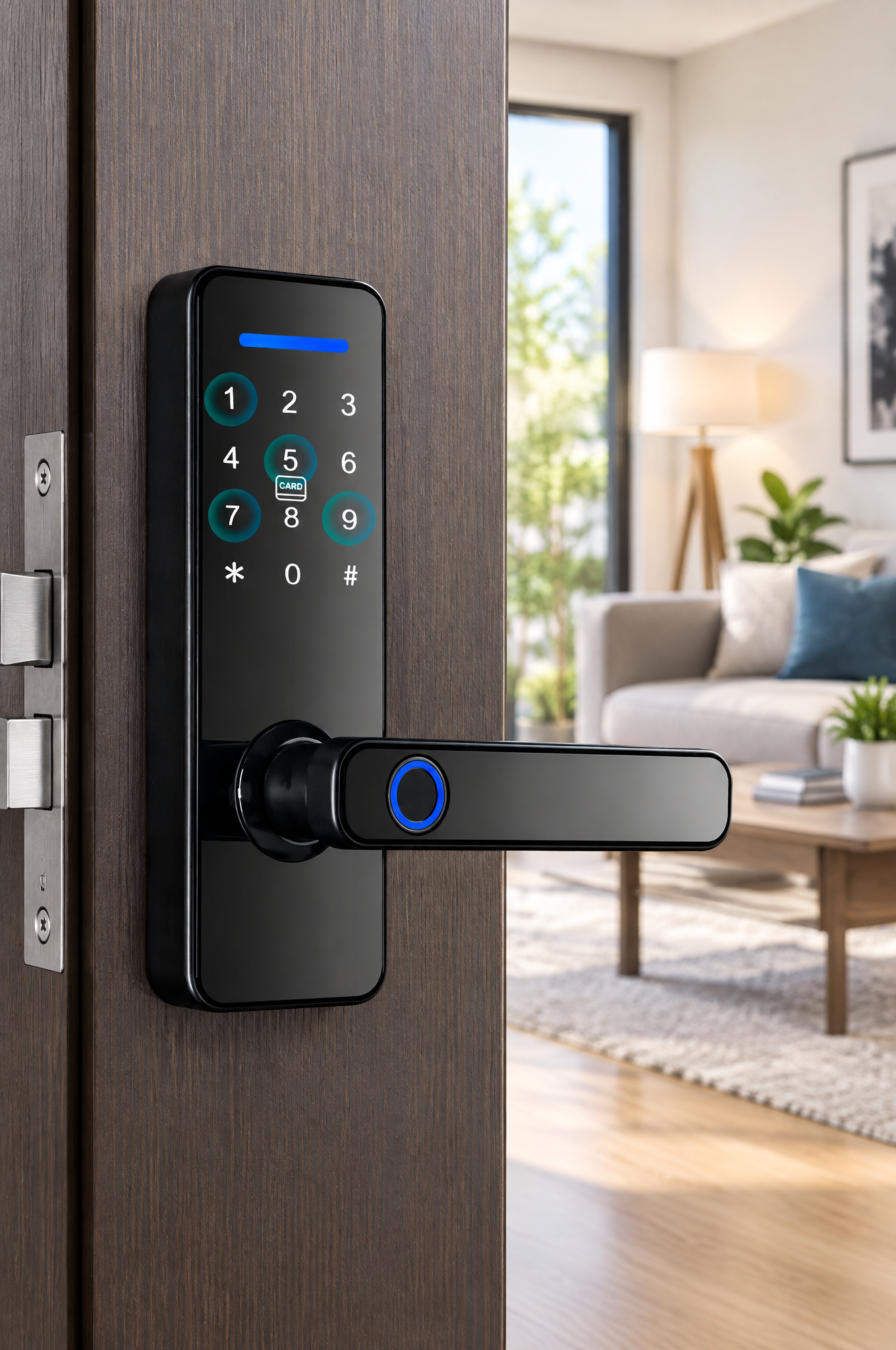
Hardware specifications transform from abstract metrics into concrete engineering choices in production locksets like the S811 Smart Door Lock from SUMMAO. Built for residential installations, serviced apartments, and office environments, the chassis pairs an aluminum alloy frame with a tempered glass keypad panel to guard against physical tampering.
The fingerprint scanner is integrated into the handle, aligning thumb placement naturally with the latch release stroke. According to the product data, the induction response time is listed as under 0.1 seconds with a rejection rate below 0.03%.
Fit profile and operational specifications
The S811 integrates multi-modal entry options into a mechanical profile using the listed dimensions. Buyers should confirm the existing door preparation and included installation materials before ordering.
| Specification Category | Parameter Details |
|---|---|
| Lock Model | S811 Smart Door Lock |
| Structural Materials | Aluminum Alloy + Tempered Glass |
| Supported Unlock Modes | Biometric Fingerprint, Passcode, IC Card, Physical Key, Tuya / TTLock App |
| Mortise Configuration | 505022160mm (confirm dimensions with supplier) |
| Compatible Door Thickness | 38 mm to 55 mm |
| Electrical Power Source | 4 AA alkaline batteries |
| Auxiliary Emergency Input | USB Port (confirm connector and voltage with manufacturer) |
| Cylinder Rating | Grade B Mechanical Core |
| Connectivity Architecture | Wi-Fi/app connectivity listed; confirm gateway and local Bluetooth requirements with supplier |
Deployment scenarios and operational limitations
The S811 adapts across private homes, boutique hotels, and serviced corporate apartments. The product is marketed as a nine-language model. Property hosts using the Tuya or TTLock mobile suites can synchronize tenant cards and generate guest passcodes remotely without handling physical keys.
Deploying these systems requires attention to physical operating conditions. While aluminum construction withstands regular indoor and sheltered exterior use, locks on exposed perimeter gates need protective overhead weather shielding. Remote functions also depend on gateway hardware and clear signal range where applicable.
Practical Installation, Enrollment, and Maintenance Workflow
Pre-installation verification steps
A smooth installation prevents premature mechanical binding and extends motor life. Follow these structured steps before securing mounting bolts:
- Check Existing Door Integrity: Ensure the door leaf hangs level within the frame without sagging, sticking, or requiring heavy pressure to latch.
- Mark Spindle and Bore Hole Alignment: Use the manufacturer's installation template and dimension diagram to verify that the mortise cavity aligns with the specified faceplate dimensions.
- Check Mortise Clearance: Insert the mechanical mortise assembly into the door pocket by hand to confirm it seats flush without forcing.
- Confirm Free Latch Movement: Turn the mechanical square drive spindle manually to confirm the latch and deadbolt cycle smoothly before mounting electronic panels.
User enrollment and credential governance
Careful administrative setup protects access control systems against accidental lockouts and unauthorized changes. Begin by registering the administrator passcode before pairing secondary user profiles, ensuring that guest credentials cannot alter system settings.
Enroll primary fingers using multiple angles—registering the center pad, tip, and lateral edges across successive sensor presses. Enroll a secondary finger on your opposite hand to maintain seamless biometric entry if your primary hand is occupied or has minor skin abrasions.
When enrolling multiple household members, assign distinct credential types to each role. Primary residents receive fingerprint and permanent passcode access, while temporary guests receive expiring numeric codes. This hierarchy ensures that revoking guest access does not disrupt permanent resident entry.
Preventative battery cycles and mechanical maintenance
Electronic locks require minimal routine upkeep, yet basic maintenance preserves performance over years of service. Schedule regular battery checks, replacing all four AA cells simultaneously using fresh alkaline batteries from a single manufacturing lot to prevent localized reverse-charging.
Wipe the semiconductor sensor surface and tempered glass panel monthly using a dry microfiber cloth to remove skin oils and dirt. Never spray household solvents or water directly onto keypad surfaces. Inspect door strike plates periodically to confirm building settlement has not misaligned the deadbolt channel.
Lubricate the mechanical latch and deadbolt with graphite powder or dry PTFE spray annually to maintain smooth retraction and extension. Avoid oil-based lubricants, which attract dust and grime that can bind moving parts over time.
Frequently Asked Questions (FAQs)
Does a digital fingerprint door lock work if the user's hand is wet or dirty?
Moisture or dirt may interfere with fingerprint recognition; dry and clean your finger, or use another supported entry method. If your hand is wet or coated in soil, wipe your thumb before scanning, or use the numeric keypad, contactless IC card, or physical override key.
Can the lock still be opened if the internal batteries completely die?
Depleted batteries do not permanently lock you out. Electronic locks incorporate a mechanical keyway to retract the deadbolt manually. Many models also integrate an emergency USB power port. Confirm the required connector, voltage, and operating procedure with the manufacturer to ensure you can restore temporary power if needed.
What is a virtual password and how does it prevent observation?
A virtual password is an anti-peeping security feature that lets you input random decoy digits before and after your actual numeric PIN. For instance, if your genuine code is 456789, you can punch in 182456789304 on the keypad. The internal logic controller identifies the correct consecutive sequence and unlocks the latch, preventing bystanders from discerning your real passcode.
Can a fingerprint lock be deployed outdoors on exterior entry gates?
Digital fingerprint locks are typically engineered for sheltered residential entryways, commercial corridors, and apartment front doors. Installing a lockset on an unsheltered exterior yard gate exposes sensitive sensor components and internal electronics to wind-driven rain and freezing temperatures. Gate installations require specialized enclosures engineered with high moisture ingress ratings and weatherproof gasket seals.
How are guest access credentials handled for short-term rental properties?
Property owners can manage guest access through companion platforms like Tuya or TTLock without requiring guests to register biometric data. Verify credential expiry, connectivity requirements, and security details with the supplier before deployment. Guests typically receive numeric passcodes by text or email, granting independent keyless access without requiring on-site key handoffs.
Conclusion
Adopting a modern digital fingerprint door lock upgrades your property from vulnerable mechanical pin locks to responsive, credential-based security. Combining semiconductor biometric authentication, anti-peeping passcodes, and app management through platforms like Tuya or TTLock addresses key-loss headaches while preserving structural protection. Matching mortise dimensions carefully, following sound battery maintenance habits, and maintaining mechanical key backups ensures your biometric access solution delivers dependable convenience every time you return home.
SUBSCRIBE
INQUIRY