
Fingerprint Door Lock Guide: Biometric Security, Access Methods, and Selection Criteria
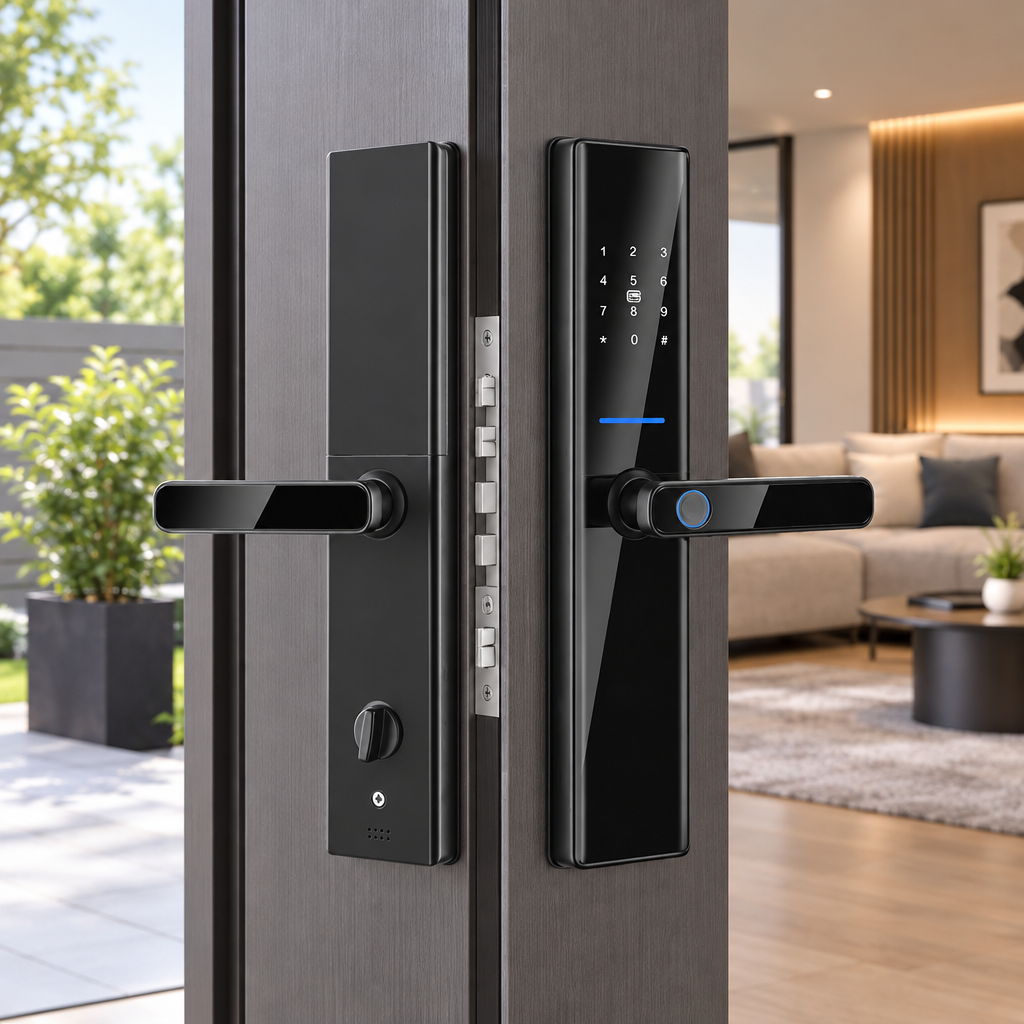
Keys are easy to lose, duplicate, or leave behind on a kitchen counter. A modern fingerprint door lock transforms your entry door into an intuitive touchpoint, turning your fingerprint into a convenient biometric credential. Beyond keyless convenience, homeowners, property managers, and commercial building operators increasingly demand reliable security and centralized access control. Selecting an ideal biometric locking system requires looking past surface aesthetics and understanding how physical hardware, digital credentials, and mechanical latches interact.
Understanding the Fingerprint Door Lock
Early digital door hardware relied on bulky keypads or basic magnetic cards. Today, a modern fingerprint door lock combines solid-state electronics, hardened mechanical cylinders, and motorized latches into a unified assembly. Exploring how these components work together reveals why modern biometric entry systems are rapidly replacing conventional deadbolts.
Core Mechanics of Semiconductor Biometric Sensors
Biometric door hardware generally uses one of two detection methods: optical scanning or semiconductor sensing. Optical readers capture fingerprint patterns using light. Environmental conditions and surface contamination can affect some readers; check the model's documented operating limits.
In contrast, modern systems use semiconductor fingerprint sensors. These sensors measure electrical characteristics across the fingerprint surface to create a digital representation. Performance depends on the specific sensor and matching system; compare model-specific test results rather than assuming one capture method is faster or more accurate.
Many biometric systems store derived templates rather than ordinary photographs, but the storage format and encryption should be confirmed in the vendor's technical documentation. Actual presentation-attack resistance depends on the sensor design and documented testing.
The Multi-Access Architecture
A resilient entrance should never depend on a single credential channel. Cold weather, scrapes, or temporary sensor smudges can occasionally interfere with biometric matching. A well-designed smart system balances convenience and resilience by combining several backup credentials within one trim plate.
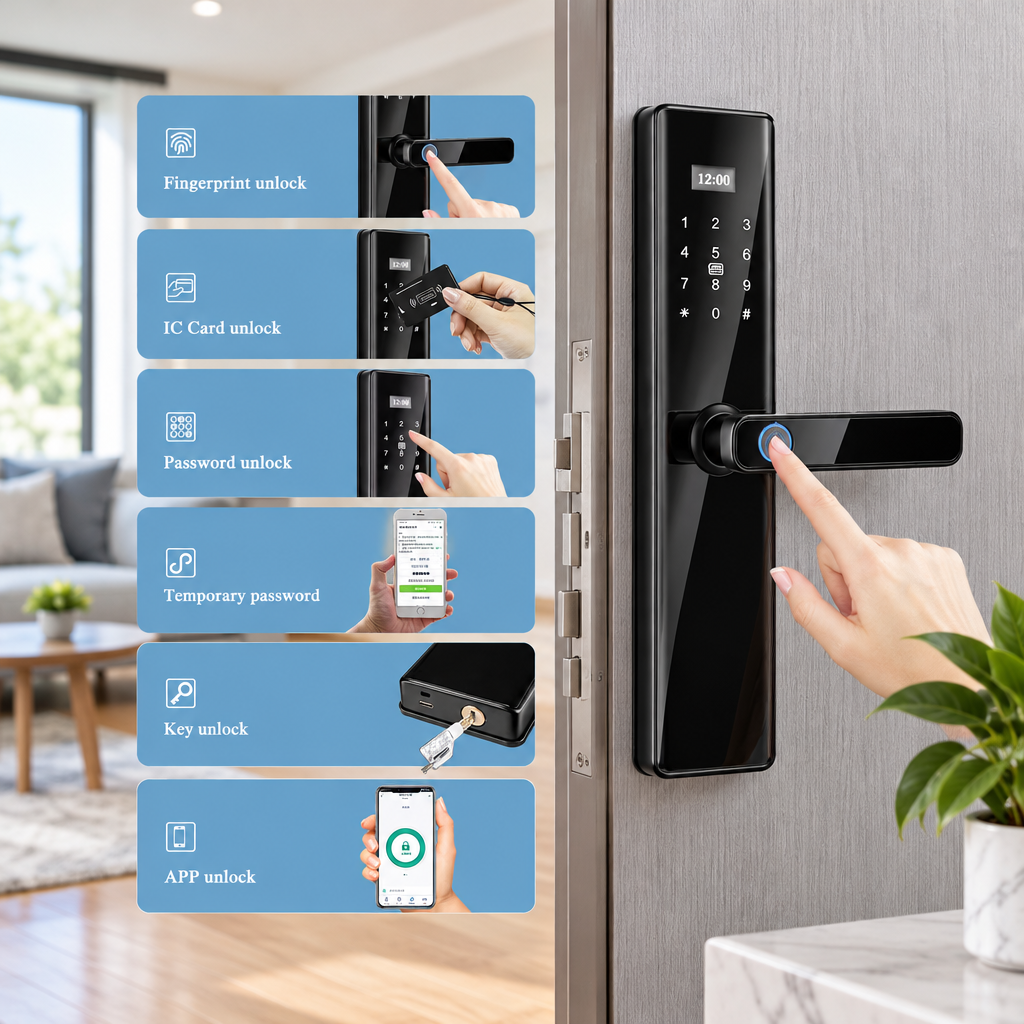
In daily use, family members or employees can touch the sensor to enter instantly. Guests, deliveries, or short-term maintenance crews can receive time-sensitive numeric passcodes or RFID cards. When smart functions require administrative changes, Bluetooth or app management enables quick access logs and revocations without rekeying physical pins.
Security Analysis: Is a Fingerprint Door Lock Safe?
Homeowners and commercial property managers frequently ask if an electronic biometric lock can be bypassed. Real security depends on balancing software cryptography with mechanical strike resistance.
Recognition Performance: FAR, FRR, and Marketing Claims
Biometric verification operates on statistical matching rather than binary mechanical interlocking. Engineering standards evaluate these scanners using two primary benchmarks:
- False Acceptance Rate (FAR): The statistical likelihood that an unauthorized person's fingerprint is mistakenly accepted as an authorized profile.
- False Rejection Rate (FRR): The probability that a registered user's genuine fingerprint is denied due to dry skin, moisture, or improper finger placement.
Manufacturers often publish specific benchmarks, such as recognition speeds below 0.5 seconds or success rates around 99.98%. While indicative of responsive solid-state hardware, real-world performance naturally varies with seasonal climate shifts and finger positioning. Biometric authentication should always operate alongside multi-factor safeguards rather than serving as the sole protective barrier.
Physical Security and Cylinder Integrity
A sophisticated biometric sensor cannot protect an entryway if the internal mortise yields to a pry bar. The core mechanical assembly remains the primary physical barrier against forced entry.
The supplied specification lists a Grade C lock cylinder. Confirm the applicable test standard and attack-resistance features with the manufacturer. For residential and multifamily locksets, standards such as ANSI/BHMA A156.39 define clear thresholds for operational durability, latch strength, and cycle testing.
Cyber Security, Data Privacy, and Connected Protocols
Connected door hardware introduces digital security considerations that traditional brass deadbolts never faced. Data transmission between the lock body, mobile applications, and network routers must remain protected against intercepted packets and brute-force attempts.
To prevent casual shoulder-surfing, quality keypad interfaces incorporate anti-peeping dummy password sequencing. Users can enter random numbers before or after their actual passcode, frustrating observers while successfully unlocking the latch. Repeated invalid passcode or credential attempts should automatically trigger lockout intervals and audible tamper alarms.
Access Methods Compared: Fingerprint, Keypad, Card, App, and Physical Key
Choosing the right access credential depends on who needs entry, how often they visit, and whether physical tokens are practical to distribute.
Head-to-Head Credential Comparison
Every credential option involves practical trade-offs among setup ease, security vulnerability, and daily user convenience.
| Credential Method | Primary Security Factor | Daily Convenience | Operational Dependency | Best Use Case |
|---|---|---|---|---|
| Semiconductor Biometric | Unique fingerprint pattern matching | Instant single-touch verification | Clean contact surface and battery power | Primary residents and everyday staff |
| Numeric Keypad | 6 to 10-digit encrypted sequence | Keyless entry without physical tokens | Anti-peeping observation precautions | Guests, domestic staff, and children |
| IC Card | Contactless card credential | Simple proximity tap near panel | Physical possession of card | Elderly users and corporate offices |
| Mobile App (Tuya / TTLock) | Tuya/TTLock app credential | Remote monitoring and scheduled passes | Smartphone charge and network gateway | Short-term rentals and facility managers |
| Mechanical Keyway | Physical cylinder tumbler alignment | Traditional manual operation | Physical key carry and safe storage | Emergency override and battery outage |
Remote Management Versus Local Verification
Digital door security differs significantly between standalone offline setups and connected ecosystems. Basic locks store credentials exclusively on an internal microcontroller, which limits administrative changes to physical keypad sequences.
In contrast, modern platforms running on Tuya or TTLock offer remote administration. Bluetooth enables direct local smartphone pairing for nearby configuration. Depending on the lock variant, app and gateway functions may support cloud management, scheduled credentials, logs, or alerts. Confirm whether the supplied version supports remote unlocking, which gateway is required, and which functions remain available offline.
Some connected lock architectures use low-power mesh signals and require a dedicated plug-in gateway to bridge communication with your broadband network. This architecture balances battery efficiency with flexible cloud administration.
Fail-Safe and Emergency Power Architecture
A common homeowner concern is becoming locked out when internal batteries run flat. Modern smart locks are engineered with multi-tier failsafe power paths to prevent this scenario.
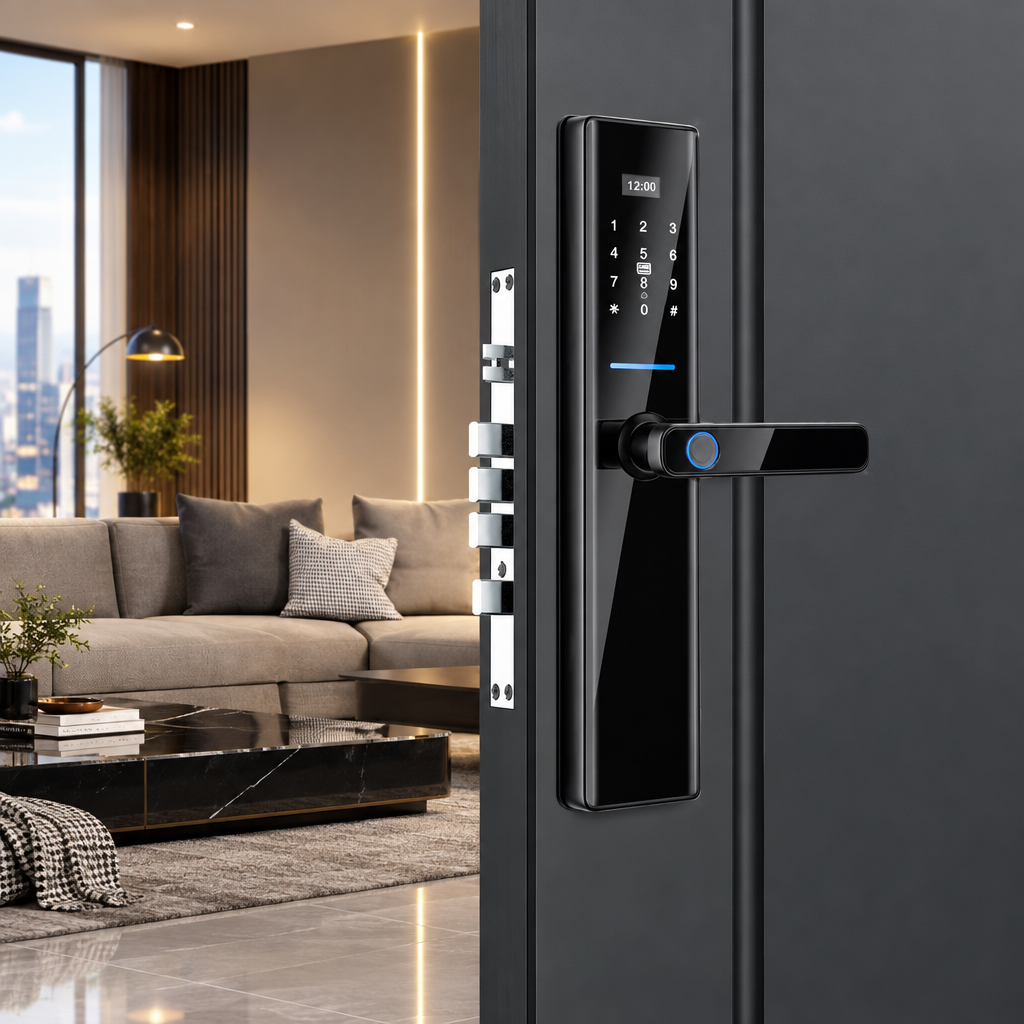
The specification lists a USB emergency-power port and four AA alkaline batteries. As internal voltage drops below standard thresholds, audible tones and visual keypad flashes prompt users to change the cells.
If the batteries deplete entirely, the USB port allows temporary power from an ordinary portable battery bank, while an emergency mechanical key provides a zero-power physical backup. This layered redundancy ensures uninterrupted access even during unexpected power depletion. Confirm the connector, input requirements, and expected battery life in the installation manual; replace batteries when the low-battery warning appears or according to the manufacturer's instructions.
Sizing and Compatibility Checklist Before Buying
Before purchasing replacement door hardware, homeowners must confirm that their door leaf and frame pocket match standard mechanical specifications.
Measuring Door Thickness and Handing
Door slabs vary widely across residential, multi-family, and commercial properties. A secure smart lock must fit snugly without compressing interior wiring harnesses or leaving structural gaps.
- Door Thickness Range: Standard assemblies fit door slabs between 38 mm and 100 mm thick. Thinner interior doors or heavy insulated entry slabs may require specific spindle and through-bolt lengths.
- Handle Reversibility: Look for reversible lever designs that convert between left-hand and right-hand door swings without disassembling the internal clutch.
Mortise Pocket Dimensions and Backset Verification
The mortise pocket cut into the edge of the door must align with the mechanical lock body to ensure smooth latch engagement. The manufacturer's installation template and drawings specify the exact mortise dimensions.
- Measure the backset distance from the door edge to the center of the handle spindle hole, with 60 mm serving as a common standard.
- Verify the center-to-center distance between the handle spindle and the key cylinder according to the manufacturer's template.
- Measure the outer faceplate dimensions, which typically require a 24 mm by 240 mm channel on the door edge.
Retrofitting an older door with non-standard cutouts may require wood chiseling, hole filling, or custom strike plates to ensure the deadbolt throws freely into the frame pocket without friction. Verify the actual spindle, cylinder, and faceplate measurements against your door before cutting.
Product Specification Spotlight: The SUMMAO S819-2
For residential apartments, modern developments, and boutique hospitality properties, the SUMMAO S819-2 illustrates how these engineering standards come together in a smart lock system.
Technical Specifications and Hardware Profile
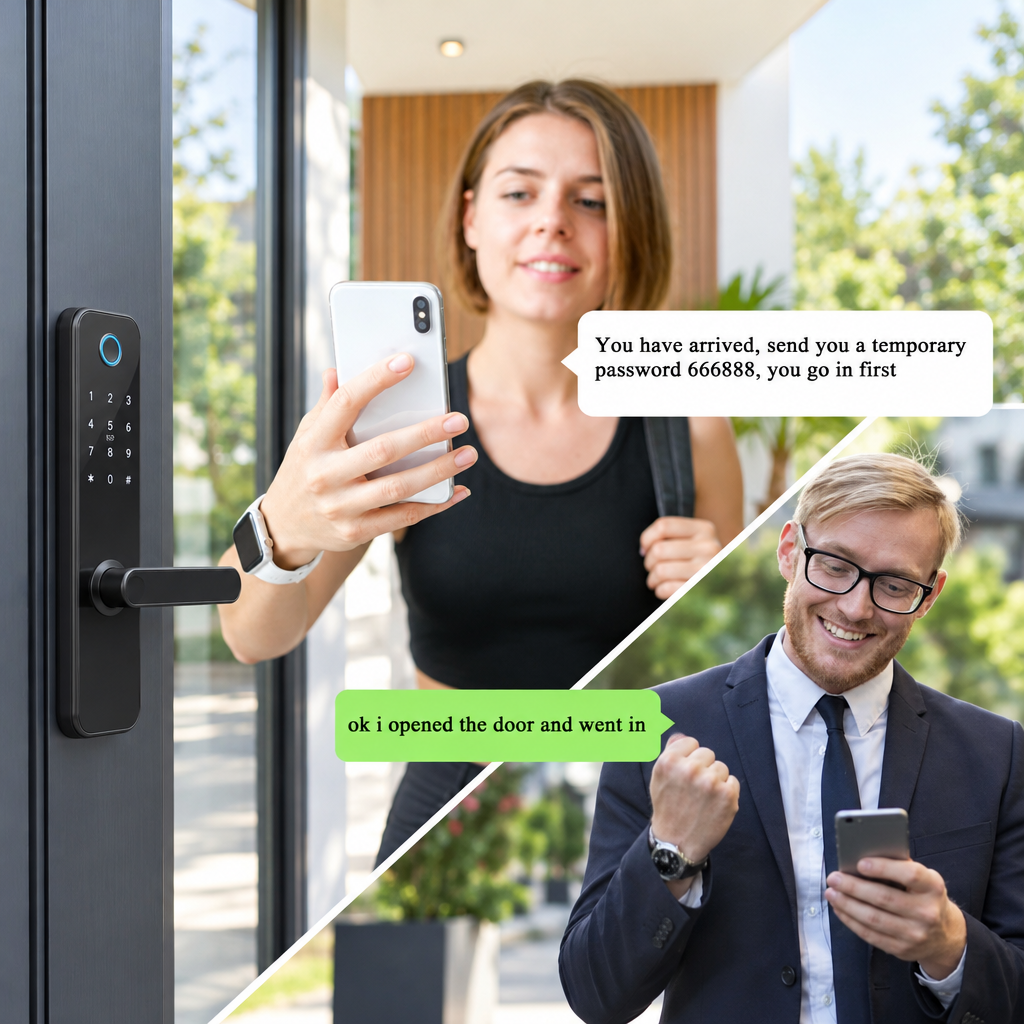
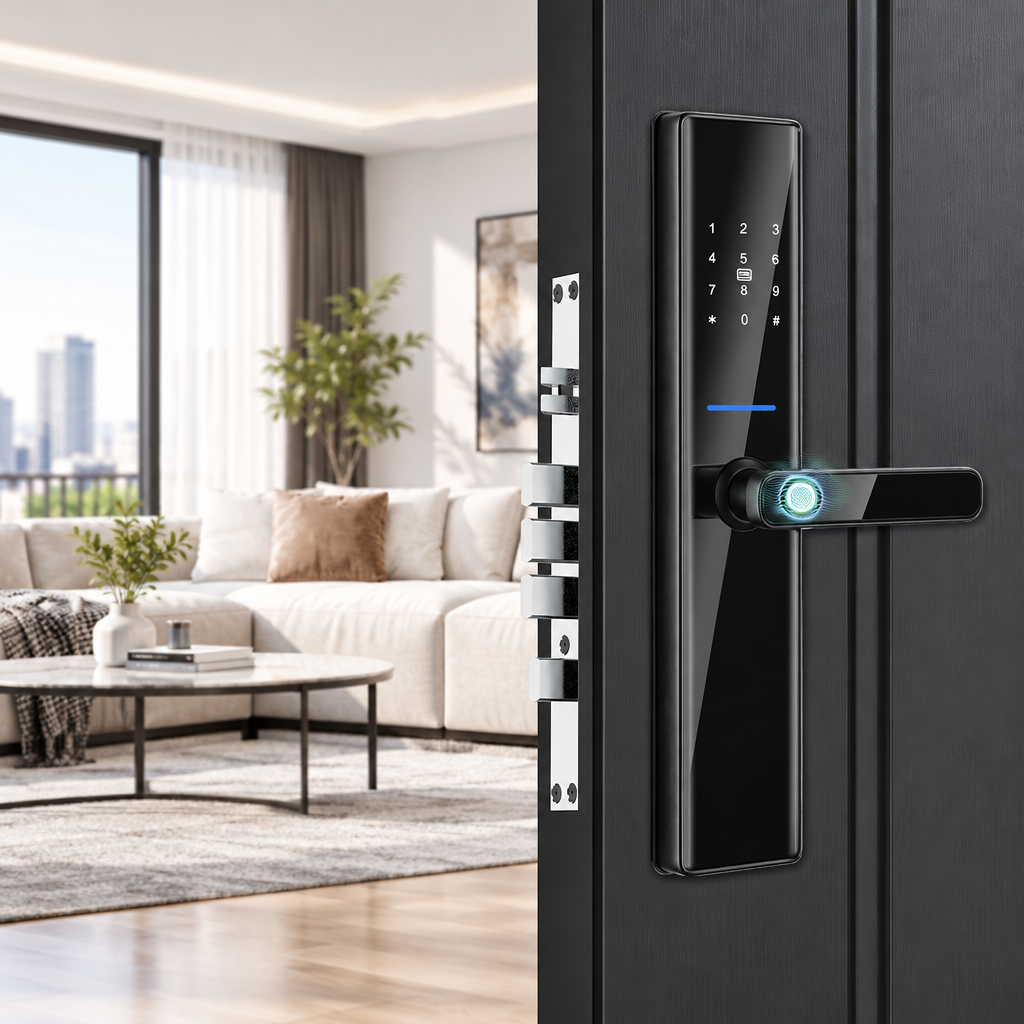
Manufactured with an aluminum alloy and tempered glass construction, the S819-2 integrates a semiconductor fingerprint sensor into the handle assembly. This ergonomic placement lets users authenticate and unlatch the door in one continuous hand movement.
| Technical Parameter | Engineering Specification (Manufacturer Data) |
|---|---|
| Model Number | S819-2 |
| Housing Construction | Aluminum Alloy + Tempered Glass |
| Color Profile | Black |
| Credential Support | Semiconductor Fingerprint, Numeric PIN, IC Card, Mechanical Key, Tuya / TTLock App |
| Cylinder Security | Grade C |
| Supported Door Thickness | 38 mm to 100 mm |
| Internal Mortise Standard | 6068 (24 mm x 240 mm Faceplate) |
| Primary Power Source | 4 x AA Alkaline Batteries |
| Emergency Power Port | USB Port |
| Hardware Weight | 5.0 kg per complete assembly |
| Product Certifications | CE, RoHS Compliant |
For us, engineering reliable access hardware means combining flexible ecosystem integration with rigorous quality standards. Backed by 15 years of industry experience across global residential and hospitality projects, SUMMAO ensures each assembly undergoes multi-stage quality inspections to provide dependable operation and steady electronic control.
Deployment Scenarios and Code Considerations
The S819-2 adapts smoothly across residential rental units, private villas, corporate suites, and boutique hotels. In hospitality and short-term rental environments, property managers can issue scheduled PIN codes via the TTLock or Tuya mobile apps, eliminating key handoffs.
When planning installations in commercial properties, always consult local building officials and review the relevant sections of building codes applicable to your project. Egress-door requirements depend on the locally adopted code and door assembly; confirm that the installation permits compliant operation from the egress side.
Installation, Operational Calibration, and Maintenance
Even premium hardware will bind or reject scans if installed incorrectly. Careful mechanical alignment during initial setup prevents premature motor wear and frequent battery drain.
Step-by-Step Installation and Alignment Check
Follow these structural steps to achieve clean mechanical alignment and dependable electronic latching:
- Prepare the Door Pocket: Position the manufacturer cut template on the door face, mark the spindle and bolt holes accurately, and route the mortise pocket cleanly according to the supplied dimensions.
- Seat the Mortise Mechanism: Insert the steel mortise body into the edge channel, secure the faceplate screws loosely, and confirm the latch bolt points toward the door stop.
- Route the Connecting Cables: Pass the electronic ribbon cables through the pre-drilled boreholes beneath the spindle, ensuring wires are not pinched against metal edges.
- Fasten the Escutcheon Plates: Thread the through-bolts through the interior mounting plate into the exterior housing, keeping both escutcheons vertically plumb before final tightening.
- Test Mechanical Swing: Depress the handle manually several times while the door remains open, confirming that the deadbolt extends and retracts smoothly without binding.
Enrolling Biometrics and Access Credentials
Proper enrollment ensures reliable biometric matching in every season. When registering fingerprints, place your thumb flat against the semiconductor plate and lift it across multiple angles to capture center ridges and edges alike.
Avoid enrolling damp, lotion-coated, or heavily calloused fingers as your sole access profile. Registering an index finger on your non-dominant hand provides a reliable alternative if your primary thumb suffers a minor cut or scrape.
Ongoing Maintenance and Battery Care
Smart electronic locksets require minimal routine maintenance to sustain reliable operation:
- Battery Replacement Cycles: Replace the AA alkaline batteries when the low-battery warning appears or according to the manufacturer's instructions. Avoid mixed battery brands or depleted rechargeable cells with low nominal voltages.
- Sensor Cleaning: Wipe the scanning surface periodically with a clean, dry microfiber cloth to remove skin oil, avoiding harsh chemicals, abrasives, or excessive liquid spray.
- Hardware Inspection: Check the strike plate and mortise faceplate screws every six months, tightening any fasteners loosened by seasonal wood expansion or daily door slams.
Frequently Asked Questions
How does a fingerprint door lock perform during winter freezes or heavy rain?
Semiconductor sensors function across typical outdoor residential temperatures, but extreme sub-zero cold can temporarily affect sensor readings. Condensation or heavy frost across the panel can also scatter sensor readings. Confirm the exact model's ingress-protection rating and suitability for your installation environment, and keep an alternative PIN code ready to provide easy entry during harsh winter weather.
Can someone bypass a fingerprint scanner using a lifted print or photo?
A photo may not be sufficient for some semiconductor readers, but resistance to lifted prints, molds, or other presentation attacks depends on the specific sensor and anti-spoofing implementation. The S819-2 materials supplied here do not document independent spoof-resistance testing. For high-security applications, confirm whether the lock has undergone presentation-attack detection evaluation.
What happens if the smart lock batteries die completely while I am outside?
Complete lockouts are easily avoided through dual fail-safe options. The specification lists a USB emergency-power port and a mechanical key. Check the installation manual for their locations and operating instructions to ensure access during unexpected battery depletion.
Does a smart lock with app connectivity operate without an active internet connection?
Local unlocking via fingerprints, registered PIN codes, IC cards, and mechanical keys works entirely offline because credential tokens are validated directly by the lock's internal processor. An active internet connection and a compatible gateway are only needed for remote notifications, dynamic passcodes, and adjusting settings through your smartphone app. Some lock variants may not support remote unlocking; confirm the capabilities of your specific model and the functions that remain available offline.
How does anti-peeping dummy passcode technology protect PIN entry?
Anti-peeping technology lets you input random decoy digits immediately before or after your actual password. As long as you enter the correct passcode sequence consecutively somewhere within the entry, the microprocessor recognizes the valid credential and retracts the deadbolt, preventing nearby observers from memorizing your code.
Conclusion
Upgrading to an advanced fingerprint door lock provides an ideal balance of responsive daily convenience and mechanical security. By selecting hardware built around semiconductor sensors, Grade C cylinders, and versatile secondary credentials, property owners eliminate lost keys while maintaining dependable access control.
Taking the time to verify your door thickness, check mortise compatibility according to the manufacturer's template, and select an ecosystem supporting both local and gateway-managed apps will ensure your smart fingerprint door lock delivers smooth, reliable protection for years to come.
SUBSCRIBE
INQUIRY