
Keyless Entry Door Lock with Handle: The Complete Engineering and Selection Guide
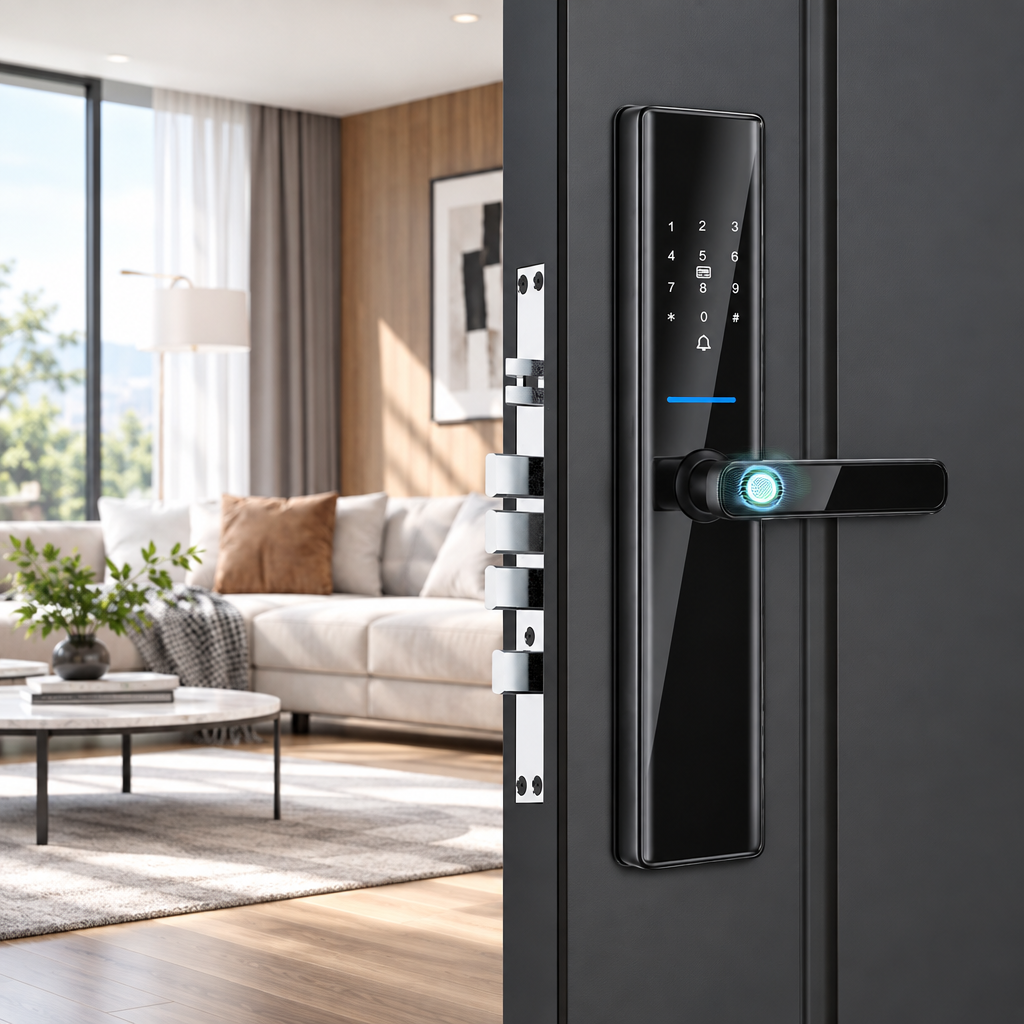
Fumbling for brass keys in a dimly lit hallway while balancing heavy grocery bags is an outdated ritual. Upgrading to a keyless entry door lock with handle removes that bottleneck at your threshold. Unlike basic keypad deadbolts that still leave you working a separate knob or handle, a smart handle lock brings the credential reader and the lever together on one unit. Whether you are outfitting a residential front door, a boutique hotel, or a corporate office, understanding the hardware details helps you balance physical security with daily convenience.
Many property owners initially purchase standalone motorized deadbolts because they look easy to retrofit. Yet those split setups often create two-step routines and visual clutter on the door face. By contrast, a keyless entry door lock with handle combines a fingerprint reader, digital keypad, card reader, and mechanical components in a handle-style body. In the sections below, we examine sensor technology, mortise geometry, and connectivity options, and we flag the points you should confirm with a supplier before buying.
Why Upgrade to an Integrated Keyless Entry Door Lock with Handle?
Property managers and homeowners often ask why they should replace both the deadbolt and the lever with a single product. The answer usually comes down to daily convenience and a cleaner door face. Fewer separate devices also mean fewer different entry routines for residents and guests to remember.
The trade-off is that a combined lock must match your door preparation closely. Later sections cover the measurements and checks that matter most.
The Ergonomics of Single-Motion Biometric Access
Think about how your hand naturally approaches a door lever. Your palm wraps around the grip while your thumb settles near the top of the handle. Legacy keypad deadbolts ignore this biomechanics entirely. They force you to raise your hand to eye level, type a code or press a sensor, wait for a motor to turn, and then drop your hand down to push a separate mechanical handle.
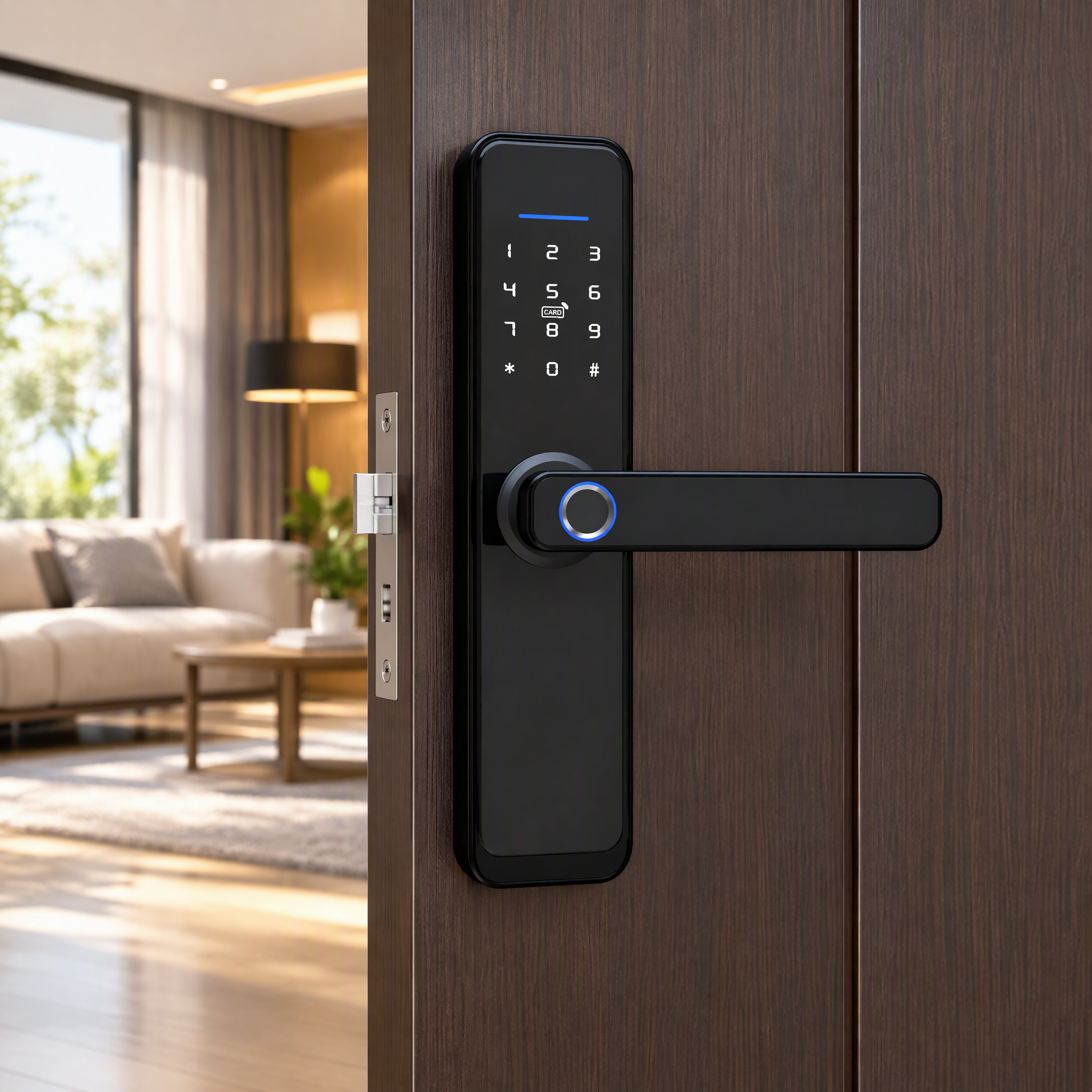
A handle-mounted fingerprint sensor places the reader where the hand already goes. On the S819-2, the product images show the fingerprint scanner on the handle and the digital keypad on the tempered glass panel. When your thumb rests on the grip, authentication can begin as your hand closes around it, so reading and opening can feel like one continuous gesture. For parents carrying sleeping children or travelers pulling luggage into a serviced apartment, removing that extra pause changes how the entryway feels.
Consolidating Mechanical Latches and Electronic Credentials
Beyond ergonomics, a split setup means managing two devices on one door. The lower handle usually works with its own latch, while the upper electronic deadbolt has its own fit and alignment requirements. Each must line up with the door frame, and seasonal humidity can change how a door sits in its opening.
A single handle lock reduces the number of devices on the door face, but it does not remove the need for careful installation. Before purchasing, confirm with the supplier how the S819-2 drives its locking bolts, how the lock body is built, and what door frame alignment it requires. Weatherstripping and frame fit matter as much as the lock itself.
Core Technologies Inside a Modern Smart Handle Door Lock
Looking at the glossy exterior of a smart lock tells you almost nothing about how it will perform during a freezing winter night or a high-traffic office morning. To evaluate a smart door lock with handle for front door or commercial installations, you must look at the fingerprint sensor, keypad function, and wireless connectivity.
Understanding Fingerprint Sensor Types
Fingerprint sensors in door locks generally fall into a few technology families. Optical modules capture an image of the fingertip using light, while semiconductor modules read the fingertip through electrical characteristics. Neither type is automatically better than the other.
Real-world behavior with dry, cold, or worn fingers depends on the specific sensor design and matching software. The same is true of resistance to spoofed fingerprints, which also depends on any presentation-attack detection the manufacturer adds. A sensor type alone tells you little about security.
Without independent test results for a given model, treat anti-spoofing performance as unverified. If your project has strict security requirements, ask the supplier for documentation.
The product data for the Digital S819-2 Smart Handle Door Lock lists a high-speed semiconductor fingerprint sensor. According to those specifications, recognition speed is under 0.5 seconds with a 99.98% success rate. These are manufacturer-supplied figures, and the test conditions are not stated. A fast response is what makes the single-gesture entry described earlier practical.
Anti-Peeping Virtual Passwords and Scramble Logic
Keypads introduce a security concern that many buyers overlook until after installation. If a delivery driver or neighbor stands behind you on the porch, they may be able to memorize a four-digit or six-digit PIN as your fingers move across the numbers. Repeated typing of the same digits can also leave residue patterns on a glass surface.
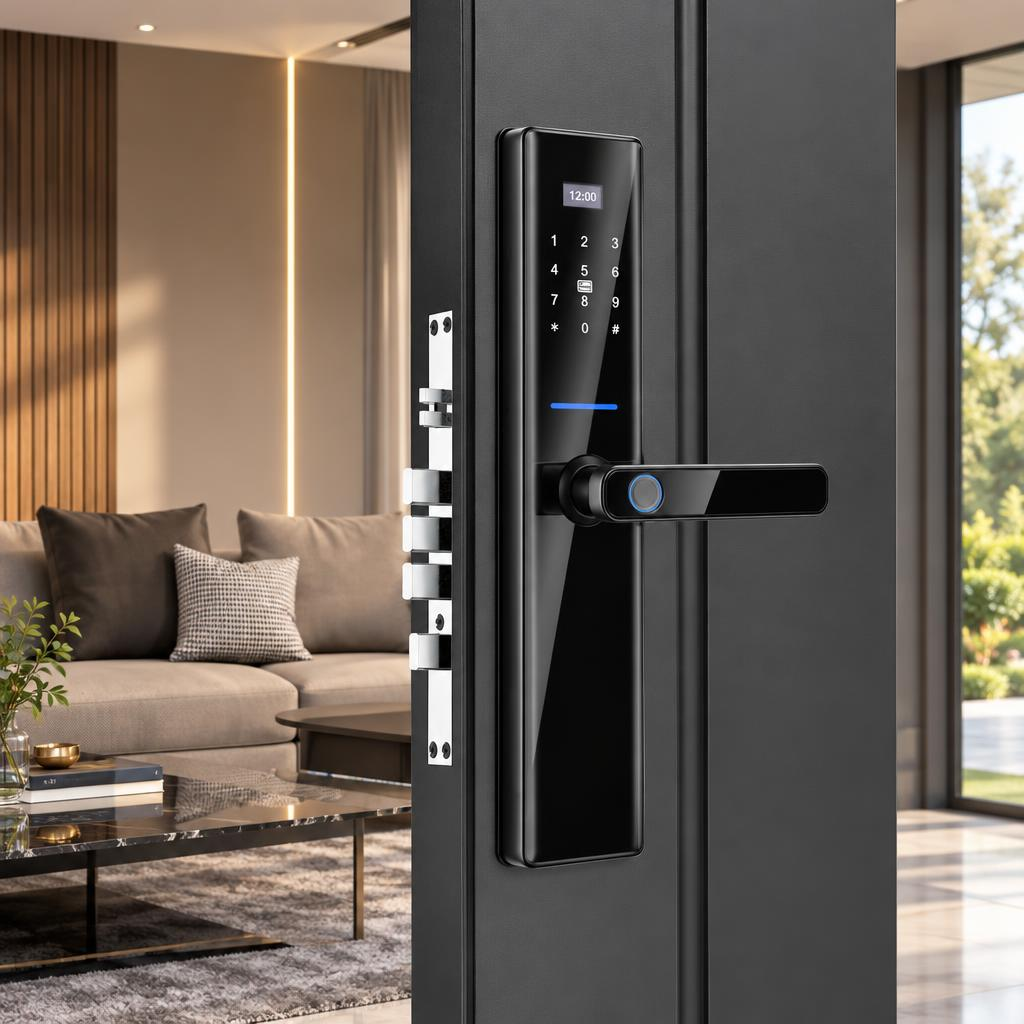
To reduce the risk of observation, the S819-2 includes a dummy password function. According to the product data, you can enter random digits before or after the correct password, so a bystander cannot easily tell which digits form the real code. This may also make residue patterns on the keypad less informative, although it cannot guarantee that no clues remain.
For example, if your real code is 2580, you could type 9412580 or 2580763 while someone watches. Confirm the exact rules for this function, such as how many extra digits are accepted, in the installation or user manual.
Multi-Modal Access: Balancing Local Reliability and Cloud Control
No single unlocking method suits every person who crosses your threshold. A resident homeowner prefers instant thumbprint access, a house cleaner needs a time-restricted PIN code, an elderly relative may prefer tapping a smart card, and a property manager located across town wants remote app control. Relying on a lock that only supports Bluetooth app unlocking is a recipe for frustration when a guest arrives with a dead smartphone.
The Digital S819-2 addresses this diversity with five access methods: fingerprint, password, smart card, mechanical key, and app control through Tuya or TTlock. The USB port is listed separately in this guide because it serves as an emergency power connection rather than a credential. Confirm with the supplier which wireless protocols are supported in your chosen configuration. The supplied materials list Wi-Fi and Bluetooth in the technical specifications and mention Zigbee in the feature description.
The table below outlines how the technical specifications of the Digital S819-2 map to real-world needs:
| Specification / Feature | Digital S819-2 Parameter | Primary Operational Benefit |
|---|---|---|
| Model Number | S819-2 | Identifies the smart handle door lock model |
| Biometric Sensor | Semiconductor fingerprint (<0.5s speed, 99.98% success rate per product specs) | One-touch fingerprint authentication on the handle |
| Unlock Methods | Fingerprint, Password (with anti-peeping), Smart Card, Mechanical Key, Tuya/TTlock App | Multiple access options for residents, guests, and staff |
| Emergency Power | USB port for external power bank connection | Temporary power when batteries are depleted |
| Wireless Connectivity | Wi-Fi and Bluetooth per technical specs; Zigbee mentioned in feature description (confirm configuration with supplier) | Remote app unlocking when a network connection is available |
| Data Storage | Cloud (per product specs) | Remote access management |
| Chassis Material | Aluminum Alloy + Tempered Glass (Weight: 5kg/pcs) | Aluminum alloy body with a tempered glass panel |
| Door Thickness | 38mm to 100mm | Stated range of compatible door thickness |
| Standard Mortise Size | 6068 (24mm x 240mm faceplate) | Defines the mortise cutout needed on the door edge |
| Power Supply & Certifications | 4 AA Alkaline Batteries; CE, RoHS listed in product data | Replaceable batteries and listed certifications |
Structural Compatibility: Matching the Lock to Your Door Geometry
The most common mistake buyers make when ordering a keyless entry door lock with handle online is ignoring door preparation. A lock can have flawless cloud software, yet remain unusable if the lock body does not fit the pocket routed into your door edge.
Decoding the 6068 Mortise Standard and Door Thickness Limits
Unlike tubular latches that slide into a simple circular hole, mortise locks sit in a rectangular pocket cut into the door edge. The Digital S819-2 is listed with a 6068 mortise and a 24mm by 240mm faceplate. In locksmith practice, the designation 6068 typically represents two geometric measurements of the lock body.
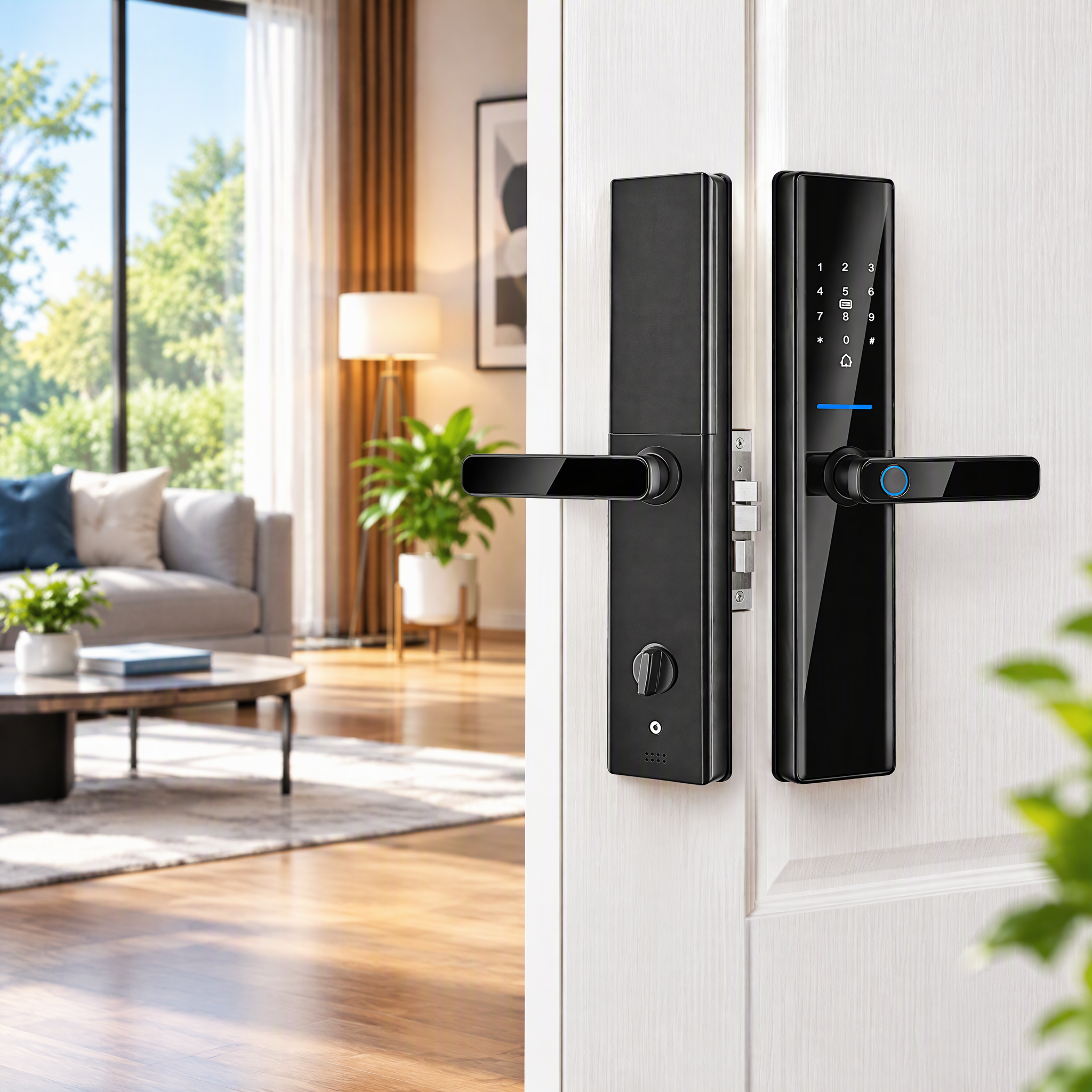
First, the 60 indicates a 60mm backset, which is the distance from the front edge of the door to the center of the handle spindle. Second, the 68 signifies a 68mm center distance between the center of the handle spindle and the center of the key cylinder. Meanwhile, the 24 × 240mm figure describes the faceplate width of 24mm and length of 240mm. Before installation, verify the complete lock body dimensions and door preparation requirements with the supplier, as the numeric code alone does not capture all necessary clearances.
The S819-2 is listed for door thicknesses from 38mm to 100mm. The supplier's compatibility graphic refers to wood, steel, and aluminum doors, but your specific door construction should be confirmed against the complete lock body dimensions and the installation manual.
Materials: Aluminum Alloy Body and Tempered Glass Panel
Door hardware endures daily mechanical use. Users grasp the lever, the door swings against the jamb seal, and fingertips or keyrings make regular contact with the keypad. Material selection influences how a lock holds up to that routine over time.
The S819-2 combines an aluminum alloy body with a tempered glass panel, and the product data lists a weight of 5kg per unit. The aluminum alloy forms the body, while the tempered glass panel houses the digital keypad. For us at SUMMAO, building hardware for high-frequency commercial traffic comes down to disciplined manufacturing control. With 15 years of industry experience and a 10,000 m² automated facility supporting over 5,000 hotels and apartments across 50+ countries, our team applies 36 inspection processes across our broader smart lock lineup, which carries an IP65 waterproof rating, up to 18-month battery life, and a failure rate below 1%.
Step-by-Step Selection Workflow for Residential and Commercial Projects
Selecting the right electronic handle lock requires matching your physical door preparation with your daily management workflow. A luxury villa owner has very different administrative priorities than a manager operating twenty short-term rental apartments.
Evaluating Traffic Volume and Ecosystem Needs (Tuya vs. TTlock)
Before placing an order, choose the software ecosystem that matches your property type. Because the S819-2 is listed with both Tuya and TTlock app compatibility, you can align the lock with an ecosystem you already use. Follow this five-step evaluation workflow to prevent compatibility errors during procurement:
- Measure your door thickness with a caliper or tape measure to confirm it falls within the listed 38mm to 100mm range.
- Inspect the door edge to verify whether you are retrofitting an existing 6068 mortise cutout (24mm × 240mm faceplate) or preparing a fresh pocket in a wood, steel, or aluminum door.
- Determine the door handing (left-hand or right-hand swing, and inward or outward opening) so the handle and latch are ordered in the correct orientation.
- If your chosen S819-2 configuration and Tuya app support scene linkage, you may be able to set the lock to trigger other smart home automations, such as entryway lighting or thermostat adjustments. Confirm this capability with the supplier before relying on it.
- Select the TTlock ecosystem if you manage boutique hotels, corporate offices, or serviced apartments. Available features depend on model configuration, app version, and required gateway hardware, so confirm with the supplier which functions, such as timed e-keys, offline passcodes, or multi-property permissions, are supported in your chosen setup.
Power Architecture, Battery Life, and Emergency Fail-Safes
A frequent concern among first-time buyers of a keyless entry door lock with handle is the fear of being stranded outside due to drained batteries. Unlike hardwired commercial magnetic locks that require low-voltage wiring through the door, standalone smart handle locks run on internal batteries.
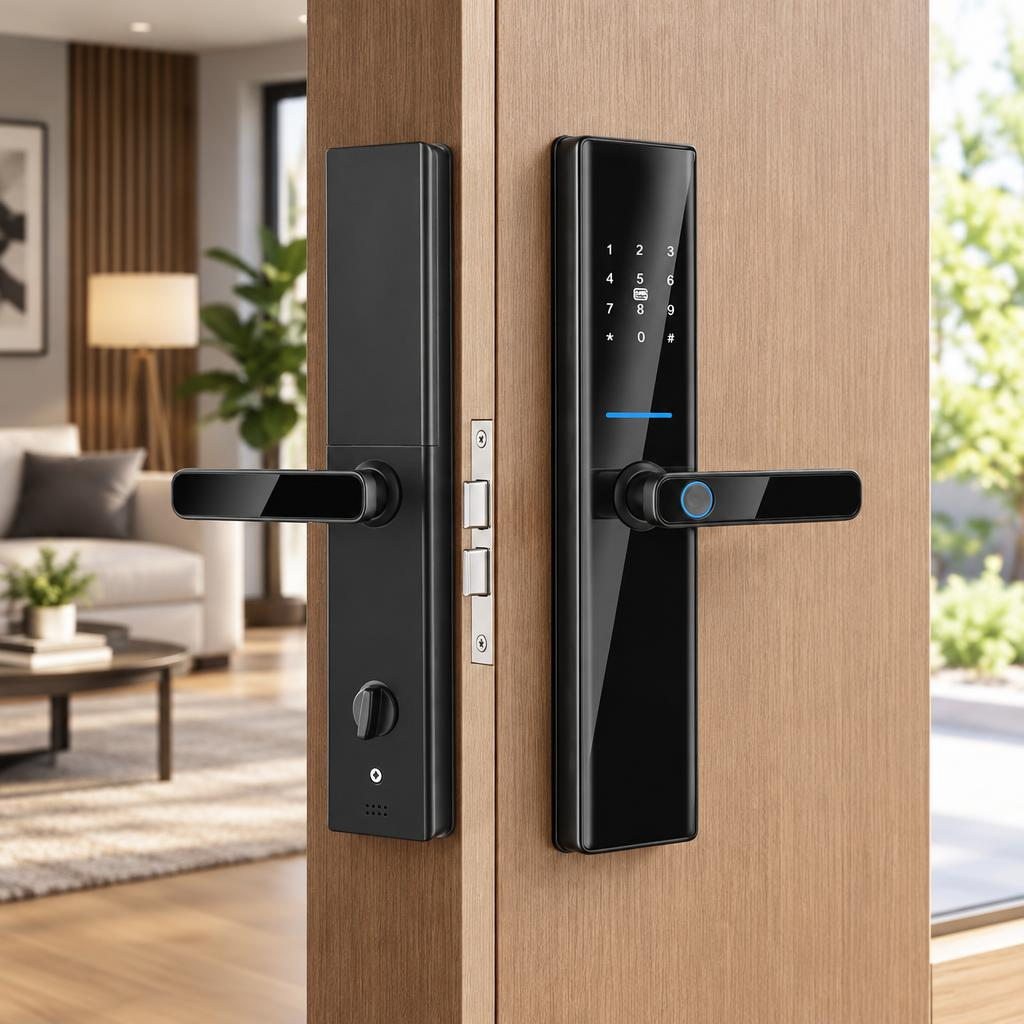
The Digital S819-2 operates on 4 AA alkaline batteries, and the product images show the battery compartment on the interior side. Alkaline cells are widely available and simple to replace. Confirm with the supplier or the installation manual whether your configuration includes a low-battery warning, since that depends on the lock's own detection and alert function rather than on the battery type.
If the batteries are completely depleted, the product data points to two backup entry methods. Use them according to the installation manual:
- Emergency USB Power Port: The product images show the USB port along the bottom edge of the exterior panel next to the speaker grille. It is intended for connecting a portable power bank to temporarily power the electronics. Confirm the required USB output specifications and cable type with the supplier before relying on this method.
- Mechanical Override Key: The lock lists a mechanical key as an unlock method, which allows entry without the electronics. Store backup keys in a secure location that you can reach if you are locked out.
Frequently Asked Questions About Keyless Entry Door Locks with Handles
Can a keyless entry door lock with handle work without an active Wi-Fi connection?
Whether local unlocking methods (fingerprint, keypad, card, mechanical key) remain functional without Wi-Fi depends on the specific model configuration. The product specifications list cloud data storage, which typically implies network dependency for remote features. Confirm with the supplier which functions operate offline and which require continuous network connectivity for your chosen configuration.
How does the dummy password feature protect my actual PIN code?
The dummy password (or anti-peeping) feature lets you enter random digits before or after your real passcode. According to the product data, this helps prevent unauthorized observation, because a bystander cannot easily tell which digits form the real code. It may also make residue patterns on the keypad less informative. Check the manual for the exact rules that apply to your model.
What should I do if the batteries die while I am locked outside?
The Digital S819-2 lists two backup entry methods when batteries are depleted. First, you can use the mechanical key to open the lock without the electronics. Second, you can connect a compatible portable power bank to the emergency USB port on the bottom edge of the exterior panel to temporarily power the electronics. Confirm USB port specifications and the proper operating procedure in the installation manual, and keep backup keys in a secure, accessible location.
Is a 6068 mortise lock compatible with standard pre-drilled doors?
A 6068 mortise lock typically fits doors already prepared for a 60mm backset and 68mm center distance, with a 24mm by 240mm faceplate cutout. If your current door only has a standard cylindrical bore (two circular holes for a simple knob and deadbolt), installing a mortise body requires cutting a rectangular mortise pocket into the door edge. The S819-2 is listed for door thicknesses of 38mm to 100mm. Verify the complete lock body dimensions and required door preparation with the supplier before purchase.
How do I know which interior unlocking mechanism my lock has?
The provided specifications do not detail the interior handle or thumb-turn configuration for the S819-2. Before installation, confirm with the supplier how occupants unlock the door from the inside, whether the interior mechanism is mechanically linked to the locking bolts, and whether it meets local fire-safety egress requirements. Verify these details in the installation manual to ensure safe and code-compliant operation.
Choosing the Right Keyless Entry Door Lock with Handle for Long-Term Security
Securing an entryway requires looking past surface aesthetics to examine what is actually specified for the door. A dependable keyless entry door lock with handle pairs a 6068 mortise body, an aluminum alloy and tempered glass construction, and a semiconductor fingerprint sensor with backup entry options. Whether you are upgrading a private residence with a fingerprint door lock with handle or deploying a Tuya and TTlock smart handle door lock across a multi-story apartment building, verifying your door thickness (38–100mm), mortise geometry, wireless configuration, and backup access methods with the supplier upfront sets you up for a smooth installation and reliable, key-free daily access.
SUBSCRIBE
INQUIRY